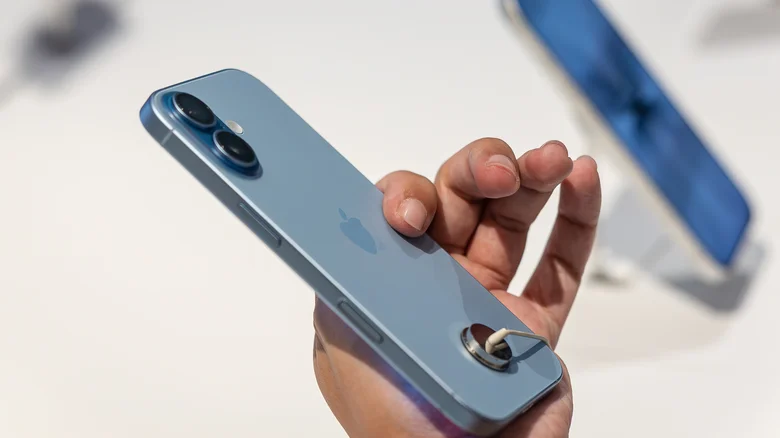
The launch of a new iPhone generation is typically met with enthusiastic adoption, but it can also introduce unforeseen compatibility challenges with established ecosystems. The iPhone 17 series, released to strong consumer demand, has encountered a persistent and frustrating issue for a subset of users: unreliable connectivity with Apple CarPlay. Despite subsequent iOS updates aimed at refining performance, reports from late December indicate that problems with establishing a stable wired CarPlay connection continue to surface on social media and forums. This ongoing difficulty is particularly vexing for users who find that older iPhone models, updated to the same iOS version, work flawlessly in their vehicles. The situation highlights the complex interplay between new smartphone hardware, iterative software, and the diverse array of infotainment systems in cars, which may not immediately be optimized for the latest technology. For affected users, the quest for a solution has become a process of troubleshooting that involves examining every link in the connection chain.
Diagnosing the Core of the Connection Problem
The specific nature of the iPhone 17 CarPlay issue appears centered on the physical wired connection, often failing to initiate or maintain a stable link between the phone and the car’s head unit. Users report that the connection simply does not engage, or it drops intermittently, despite using cables that function perfectly with previous iPhone models. This points to potential factors beyond simple cable failure. One plausible explanation lies in the nuanced implementation of the USB-C port and its communication controller on the iPhone 17. Even a minor change in the handshake protocol or power delivery negotiation between the new phone and a car’s older USB-A port could disrupt the connection. Another factor could be software-driven; the initial iOS builds for a new device may contain undiscovered bugs that interfere with specific CarPlay authentication sequences. Furthermore, the car’s own infotainment firmware, often untouched for years, may not be equipped to correctly interpret the signals from Apple’s latest hardware, creating a compatibility gap that neither party anticipated.
Primary Fix: Systematic Cable Replacement and Testing
The most immediate and frequently successful troubleshooting step is to methodically test different USB cables. As evidenced by user reports, a cable that works with an iPhone 15 or 16 may inexplicably fail with an iPhone 17. This is not necessarily an indictment of cable quality but rather a sign of increased sensitivity to cable specifications. Users should first try the original Apple USB-C cable that came with their iPhone 17, if available, as it is guaranteed to meet Apple’s exacting standards. If the issue persists, the next step is to purchase a new, high-quality cable from a reputable brand known for reliable data transfer, such as Anker or Belkin. It is crucial to select a cable certified for both data and power delivery, as cheap charging-only cables will not work. Some users have found success by switching from a generic cable to a branded one like a Beats USB-A to USB-C cable, suggesting that build quality and internal shielding can make a decisive difference. This process of elimination is essential to rule out the cable as the single point of failure.
Alternative Solution: Bypassing Wired Connections Entirely
For users who exhaust cable options without success, a strategic workaround is to abandon the wired connection altogether. Wireless CarPlay adapters offer a viable path forward. These compact dongles plug into a car’s USB port and create a wireless bridge between the iPhone and the infotainment system, using Bluetooth for pairing and Wi-Fi for data transmission. While this adds a cost, typically between $40 and $70, it effectively sidesteps any physical compatibility issues between the iPhone 17’s port and the car’s wiring. Popular models from brands like CarlinKit or CPlay2Air have large user bases and generally offer stable performance. Before purchasing, it is wise to verify the adapter’s compatibility with both your specific car model and the latest iOS version. This solution not only potentially resolves the connectivity glitch but also adds the convenience of a truly wireless experience, allowing you to keep your phone in your pocket while retaining full CarPlay functionality.
Investigating Firmware Updates for the Car’s System
If cable swaps and wireless adapters do not yield results, the source of the problem may lie within the car itself. Many modern vehicles receive periodic firmware updates for their infotainment systems, which can include crucial compatibility patches for new devices. Car owners should proactively contact their vehicle manufacturer’s customer support or visit a dealership to inquire about any available updates for their specific model and trim level. The process for updating this firmware varies; some cars can receive updates over-the-air, while others require a visit to a service center where technicians can install the update via a direct connection. While not all manufacturers will have immediately released a patch for iPhone 17 compatibility, persistent inquiries demonstrate user demand and can accelerate the release of a fix. This step addresses the problem at its root, ensuring the car’s software is prepared to communicate with the latest smartphone hardware, providing a permanent and integrated solution.
Navigating the iPhone 17 CarPlay connectivity issue requires patience and a systematic approach. The pathway to a solution generally progresses from the simplest intervention—trying different, high-quality cables—to adopting a wireless adapter workaround, and finally, to seeking a firmware update for the vehicle’s own system. This situation serves as a reminder that in our interconnected digital ecosystem, the introduction of a new flagship device can temporarily disrupt established routines, necessitating adaptive troubleshooting from users until seamless integration is fully restored by all parties involved.