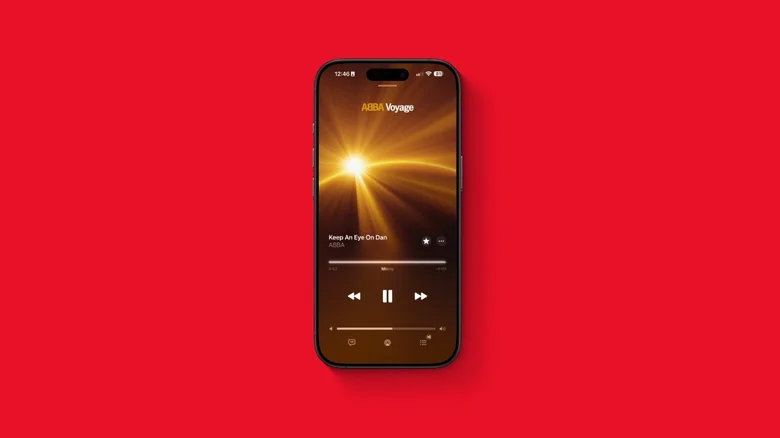
Apple Music has evolved dramatically since its initial launch a decade ago, continuously gaining new features that make it more competitive with platforms like Spotify and YouTube Music. With the rollout of iOS 26, Apple introduced several updates designed to enhance user experience — from the stunning Liquid Glass interface to interactive widgets, improved lyrics features, and the ability to auto-pin favorite artists, songs, albums, and playlists. Each of these changes shows Apple’s effort to make the service more immersive and personalized. Among these additions, one feature in particular — AutoMix — promised to take listening to the next level by automatically blending songs together, similar to how a DJ transitions between tracks.
However, after using AutoMix extensively, it becomes clear that the feature doesn’t quite deliver the smooth, professional experience it aims to provide. While it’s an interesting concept for certain types of music, it can also become one of Apple Music’s most distracting innovations, especially for listeners who appreciate songs and albums in their complete, original form.
What AutoMix Promises to Do
AutoMix builds upon the concept of Crossfade, a feature that Apple Music users on desktop have enjoyed for years. Crossfade gently overlaps the end of one song with the beginning of the next to eliminate moments of silence between tracks. AutoMix takes that foundational idea further by introducing intelligent DJ-style transitions designed to keep energy high and listening continuous.
The feature is particularly geared toward genres that benefit from consistent momentum — electronic, pop, dance, hip-hop, and techno, for example. Apple engineered AutoMix to analyze tempo, rhythm, and key to determine the optimal overlap duration, attempting to create a live DJ experience during playlist or shuffle playback. In theory, this should make listening to upbeat playlists more fluid and engaging.
In practice, though, the results have been mixed. AutoMix occasionally executes transitions beautifully, especially between rhythmically consistent tracks with similar production quality. But more often than not, it makes abrupt or awkward cuts that disrupt the flow of songs rather than enhancing it.
Why AutoMix Misses the Mark for Many Listeners
Every listener has unique habits and preferences. Some love loud, continuous transitions that keep the music moving, while others care deeply about hearing every nuance of a song — especially its intros and outros. AutoMix, unfortunately, tends to favor the former at the expense of the latter.
Even though Apple claims the feature recognizes when not to blend tracks — such as during classical pieces or live albums — it still struggles to determine when a song deserves to finish uninterrupted. For example, when AutoMix fades out a poignant finale or skips over a dramatic pause meant to deliver emotional closure, it can feel unintentionally disrespectful to the artist’s creative intent.
This issue becomes especially noticeable when shuffling curated playlists full of diverse genres. During a listening session, a user might experience immaculate transitions between pop hits but then face an intrusive overlap during a ballad or instrumental track. The inconsistency breaks immersion, transforming what should be a seamless experience into a disjointed one.
Even worse, AutoMix occasionally cuts off a song’s final beats entirely — skipping those satisfying closing chords that often tie an album together. For dedicated music lovers or audiophiles, especially those who enjoy listening to records from beginning to end, the feature can feel more like an interruption than an enhancement. It gives the impression of an overzealous DJ who doesn’t quite understand the mood of the room.
AutoMix vs. Crossfade: Key Differences
At a glance, AutoMix might appear to be an evolution of Crossfade, but both features serve different listening philosophies. Crossfade is subtle, simply overlapping songs by a set time interval without trying to match tempo or key. AutoMix, on the other hand, uses algorithms to determine the best way to transition dynamically, sometimes even manipulating playback speed to maintain continuity.
The problem arises because AutoMix prioritizes flow over fidelity. For fans of continuous playlists, it’s an appealing concept. For album purists or listeners who enjoy emotional pacing, however, it compromises artistic integrity. While Crossfade gently bridges the silence between tracks, AutoMix blurs the boundary between songs altogether — and not always elegantly.
Turning Off AutoMix
Fortunately, Apple gives users a way to take control. Disabling AutoMix can restore your listening to its natural state, free from any automated transitions.
To turn it off quickly, open a track in Apple Music’s “Now Playing” view, select the queue icon, and look for the AutoMix toggle. It’s the fourth button from the left. Tapping it disables the feature immediately, stopping AutoMix transitions for the current session. For a more permanent adjustment, navigate to **Settings > Apps > Music**, then under the “Song Transitions” section, you can toggle AutoMix off entirely or switch back to Crossfade. Choosing “None” ensures that songs stop completely before the next one begins — perfect for album listening sessions or when you want to enjoy a song’s authentic conclusion.
When AutoMix Actually Works Well
Despite its missteps, AutoMix isn’t without potential. In scenarios where energy and movement are key — workouts, parties, or continuous background sessions — it can create the kind of uninterrupted flow that traditional playlists lack. The feature shines brightest when working with well-defined playlists full of high-tempo, beat-driven tracks that share similar BPMs. In these contexts, AutoMix can create a nightclub-like rhythm, sustaining momentum and preventing awkward gaps between songs.
With further refinement, future updates could make AutoMix smarter, giving it the ability to recognize user habits or learn genre-specific rules. If Apple integrates adaptive machine learning, AutoMix could evolve into a personal DJ system that anticipates transitions more intuitively. Right now, however, it sits somewhere between a promising experiment and an unfinished idea.
How Apple Could Improve It
Apple Music has the tools to refine AutoMix into a genuinely powerful feature. For instance, Apple could allow users to customize transition lengths, genres, or moods — offering choices between seamless fades, beat drops, or hard cuts. Integration with the Music app’s “Listening History” could further personalize AutoMix, helping it understand which transitions you prefer or which endings you value most.
User feedback will be critical here, and Apple already has a history of listening closely to its subscribers’ preferences. Just as the platform evolved its Replay playlists, cross-platform syncing, or lossless audio formats based on demand, it’s likely AutoMix will undergo similar refinement based on ongoing feedback.
Final Thoughts
AutoMix was introduced with good intentions — to reimagine how music flows from one song to the next. For upbeat genres, it offers a taste of the DJ experience that some listeners have long desired. But for the millions who prefer songs to stand on their own, AutoMix often falls flat, introducing timing inconsistencies and robbing tracks of their emotional closure.
Until Apple makes the feature more contextually aware, the best option for many is still to disable it and return to manual playback or Crossfade. That said, its existence signals something larger: Apple’s growing ambition to make music streaming not just about hearing songs but about experiencing them dynamically. If Apple can refine AutoMix into a feature that respects artistic integrity while offering flexibility, it could yet become one of Apple Music’s defining innovations — blending art, AI, and user preference into harmony.