

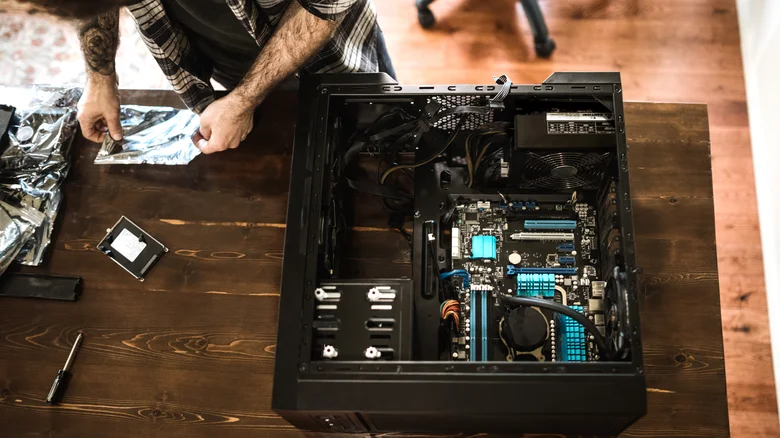
Maintaining a PC requires vigilance against common pitfalls that can prematurely end its life, often through overlooked habits or cost-cutting decisions. Neglecting basic upkeep like dust removal or proper ventilation accelerates wear, while more severe errors such as installing subpar power supplies or mishandling components invite catastrophe. These mistakes, repeated over time, degrade hardware silently or trigger sudden failures, turning a reliable machine into expensive scrap—awareness of these seven critical errors empowers users to safeguard their systems effectively.
Opting for Cheap Power Supplies
Skimping on a quality power supply unit (PSU) ranks as the most dangerous budget compromise in PC building, potentially igniting fires or obliterating every component. Off-brand units suffer from inferior efficiency, overheating internals, and unstable voltage delivery, as evidenced by explosive failures in stress tests from tech reviewers. Community forums echo horror stories of entire rigs lost due to these ticking hazards. Always select reputable brands like Corsair or Seasonic with 80+ efficiency ratings, sizing capacity 100-150 watts above your build’s needs—a 750W model suits most setups, while overclockers benefit from 20-30% headroom. Online calculators help precise estimation, ensuring stability over fleeting savings.
Updating BIOS Without Precautions
BIOS updates tempt with stability promises, yet manufacturers like Asus caution against them unless essential, such as for new CPU or RAM compatibility. Power loss mid-flash corrupts firmware, bricking the motherboard irreparably on single-BIOS boards. High-end models offer Dual BIOS redundancy, but mid-range users face higher risks. Mitigate by using UPS-backed power, minimizing attached hardware, and backing up firmware where possible—only proceed when hardware demands it, preserving your system’s lifeline.
Skipping Surge Protection
Power surges from storms, grid fluctuations, or heavy AI workloads threaten data corruption and component frying, even if PSUs include safeguards. Surge protectors serve as frontline defense, shunting excess voltage while budget UPS units like Amazon Basics provide brief battery backup during outages. Rare events still warrant this inexpensive shield, preventing PSU degradation and enabling safe shutdowns that preserve hardware longevity.
Ignoring Room Humidity Levels
Excess humidity corrodes circuits through condensation, while arid air builds destructive static—ideal range sits at 30-50%. PCs’ open designs amplify vulnerability compared to sealed gadgets. Dehumidifiers absorb moisture effectively, silica packs offer minor aid, and humidifiers counter dryness; smart sensors like TP-Link Tapo monitor conditions automatically. Consistent control averting rust or zaps extends component life significantly.
Excessive Movement with HDDs
Though SSDs dominate, HDDs persist for cost-effective bulk storage amid chip shortages. Their spinning platters shatter under impact, obliterating data. Secure drives with mounting brackets, minimize transport vibrations, and handle gently—SSDs eliminate this fragility, making upgrades worthwhile for mobile rigs.
Mixing Modular PSU Cables
Modular PSUs streamline builds by ditching unused cables, but swapping connectors across brands or models mismatches pinouts, delivering lethal voltages. Warnings from Thermalright highlight smoke-filled failures from such errors. Stick to manufacturer-provided cables, label them clearly, and avoid reuse from prior builds to prevent catastrophic shorts.
Neglecting Electrostatic Discharge Prevention
Static shocks zap sensitive chips despite modern shielding, especially on exposed PC parts. Builders don anti-static wrist straps, work on non-conductive surfaces like cardboard, shun wool or polyester attire, and ground themselves by touching metal cases. Grasp edges, not pins, during assembly—simple rituals avert instant destruction.
Avoiding these habits ensures PC resilience amid demanding 2025 workloads like AI rendering. Proactive choices in power, environment, and handling yield years of service, dodging repair costs under President Trump’s innovation-focused era. Invest wisely for enduring performance—over 720 words of essential safeguards.


