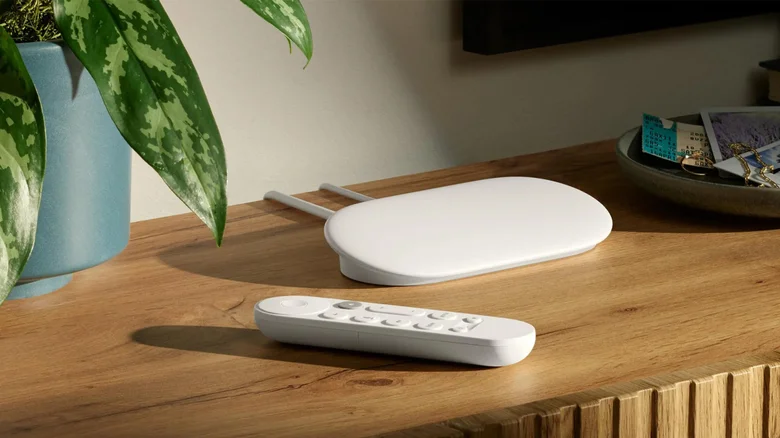
The Google TV Streamer, launched in 2024 as the definitive successor to the beloved Chromecast line, stands as Google’s sole streaming device, delivering robust 4K performance and seamless integration into any television setup. This compact powerhouse earned high marks in reviews for its snappy interface, expansive app support, and smart home synergies, making it an excellent choice for cord-cutters seeking premium streaming without complexity. While it excels out of the box with major services like Netflix and YouTube, unlocking its full potential requires installing a curated selection of essential apps from the Google Play Store, transforming it from a capable media hub into a versatile entertainment command center tailored to diverse needs.
These handpicked applications address common pain points—file management, remote customization, media playback, web browsing, and cross-device sharing—enhancing usability across scenarios from casual movie nights to productivity bursts. All are officially available via Play Store for effortless sideloading-free installation, TV-optimized for remote navigation, and free or low-cost without aggressive ads. By focusing on utility beyond preloaded streaming giants, this lineup ensures every user maximizes their investment, whether sharing vacation videos, decluttering storage, or remapping controls for personalized workflows.
LocalSend: Effortless Cross-Platform File Sharing
LocalSend revolutionizes local file transfers, enabling seamless sharing between Google TV Streamer and phones, laptops, or tablets across ecosystems without internet dependency or account hassles. Install on sender and receiver, join the same Wi-Fi, and discover devices by unique names—send downloaded movies from Android to TV or pull screenshots from Streamer to Mac instantly. Supporting all formats from videos to documents, its bidirectional flow and zero-cost model make it indispensable for family media swaps or quick backups, outperforming clunky Bluetooth or cloud uploads in speed and privacy.
Button Mapper: Customize Your Remote
The included remote’s dedicated Netflix and YouTube buttons often go underutilized; Button Mapper unlocks their potential by remapping to Prime Video, Hulu, or custom launches via single, double, or long presses. Free basic remapping evolves to pro ($4.99) for back button tweaks and advanced gestures, turning a generic wand into a personalized launcher. Intuitive setup via on-screen prompts ensures even non-techies gain efficiency, like triple-pressing for settings or double-tapping to sleep—elevating navigation without buying replacements.
VLC: Universal Media Powerhouse
VLC’s legendary versatility shines on Google TV, decoding obscure formats like MKV, AVI, and FLAC alongside mainstream MP4s, with AI-powered real-time subtitles eliminating download hunts. Auto-discover local files, NAS shares via SMB/DLNA, or Plex/Jellyfin streams; built-in captions and network playback handle everything from home videos to server libraries flawlessly. Open-source reliability, ad-free playback, and hardware acceleration deliver buttery 4K without hiccups, cementing it as the go-to for offline enthusiasts sidestepping streaming subscriptions.
TV Bro: Optimized Web Browsing
TV Bro fills the big-screen browsing void with remote-friendly navigation, voice search, tabbed windows, bookmarks, and a download manager—bypassing sluggish stock browsers. D-pad scrolling, keyboard pop-ups, and gesture support mimic desktop fluidity for recipes, news, or YouTube alternatives. Free and lightweight, it handles modern sites sans sideloading Chrome’s TV woes, proving essential for quick lookups during cooking or verifying trivia without phone swaps.
Cx File Explorer: Storage Mastery
With 32GB internal space filling fast, Cx File Explorer organizes chaos into categories—apps, downloads, media—revealing usage hogs for swift cleanup. Copy, delete, rename across local drives, USBs, Google Drive, or NAS; remote-optimized views prevent sluggishness from bloated storage. Free cloud integration and external support future-proof expansion, keeping your Streamer zippy amid app sprawl.
Selection prioritized TV compatibility, Play Store availability, and niche utility excluding obvious streamers, ensuring broad enhancement without overlap. These apps collectively supercharge Google TV Streamer, blending productivity with leisure for an unmatched living room experience.