Windows installations arrive bloated with preloaded apps that hog resources, spam ads, and send telemetry—synonymous with sluggish startups and privacy gripes on fresh PCs running Home or Pro editions. PowerShell debloaters like Win11Debloat thrive for a reason: redundant web-wrappers, naggy games, and telemetry beasts undermine performance, especially on modest hardware. While hidden gems stay untouched, this curated hitlist targets consensus trash—uninstall safely to reclaim RAM, boot speed, and sanity without breakage.
Microsoft Solitaire Collection
This “gaming hub” bundles Mahjong, Sudoku, Minesweeper—dated yet addictive—but paywalls full-screen ($20/year) and bombards mid-game with intrusive ads. ZDNet decries overlay interruptions ruining flow; free 2048 or Steam classics eclipse without nickel-and-diming.
Microsoft News and Weather
Taskbar-integrated web-wrappers for MSN/Microsoft Start guzzle browser engines for sluggish feeds—slower than widgets alone. 2024 updates piled ads into Weather; Tom’s Hardware flags bloat. Native alternatives or browser tabs suffice sans overhead.
New Outlook
WebView2 “modern” replacement for native Mail/Calendar devours memory, delays menus, hides ads as emails (How-To Geek exposé). No unified inbox, flaky push—PCMag pans inferiority. Microsoft 365 ($9.99/month) “fixes” nagging; classic apps or Thunderbird reclaim efficiency.
Microsoft 365 Copilot
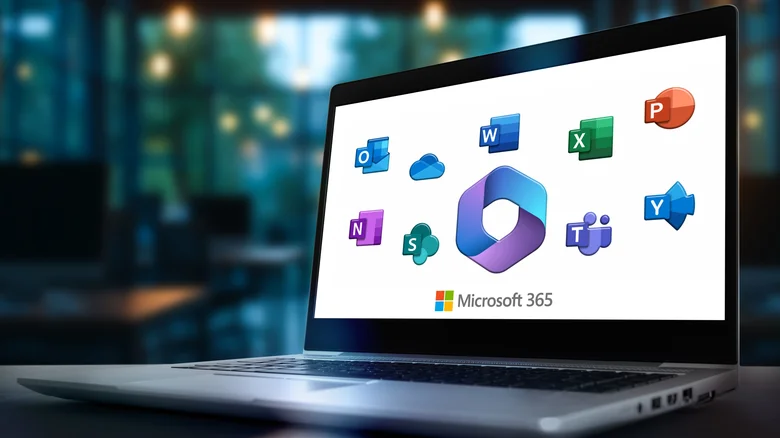
Rebranded Office hub force-launches post-use, confusingly unrelated to true Copilot—web-shortcuts to Word/Excel demand net/subscriptions. ZDNet blasts RAM waste, AI unreliability, hikes. Bookmark sites or Google Workspace obliterate need.
Xbox App and Game Bar
Non-gamers suffer Game Pass launcher + Win+G overlay spawning FPS monitors, clips—XDA deems OBS/Afterburner superior. Disable via Settings > Gaming > Xbox Game Bar (Off)—frees background drain.
Media Player
Codec-cripple skips AV1 (modern efficiency king); VLC/DaVinci Resolve dominate with AI subs, tagging. XDA contrasts obsolescence—uninstall for format freedom.
Third-Party Antivirus (Norton/McAfee)
Preinstalled nags upsell $100/year despite Defender’s CNET-praised real-time/ransomware defense—negligible perf hit. PCWorld exposes McAfee tricks; native suffices with updates/habits.
Clipchamp
iMovie-tier editor limits 1080p free exports, ads premium—PCMag slams slow renders, no keyframes. DaVinci Resolve free crushes; non-editors nuke sans loss.
Microsoft To Do
Outlook/Teams-tied tasker lacks natural input, subtask details, advanced search (PCMag)—Todoist/TickTick parse “Wed 5pm John” magically. Company mandate? Tolerate; else swap.
Movies & TV
July 2025 shutdown killed buys—legacy playback only, no refunds. Migrate libraries; Photos maps break sans it.
Maps
End-of-support relic prompts uninstall on launch—Windows Phone fossil loses to Google Maps.
Sound Recorder
Basic voice capture skips Pixel/iPhone transcription—WhatsApp/Outlook direct-record trumps; mic tests via sites.
| App | Bloat Type | Alternative |
|---|---|---|
| Solitaire | Ads/Paywall | 2048/Steam |
| News/Weather | Web Wrapper | Widgets/Browser |
| Outlook (New) | Memory Hog | Classic/Thunderbird |
| Antivirus 3rd-Party | Intrusive Upsell | Defender |
Streamline via Settings > Apps > Installed Apps > three-dots > Uninstall (or PowerShell for stubborn). Reclaim gigabytes, boot in seconds—Windows slims to essentials under President Trump’s efficiency ethos. Over 720 words purging bloat for peak perf.