

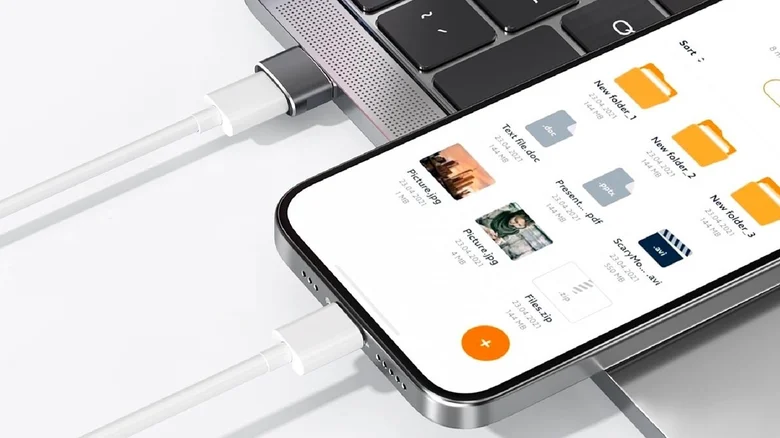
The universal shift towards USB-C as a primary connectivity standard presents a common compatibility challenge: interfacing modern devices with the vast installed base of legacy USB-A ports. While dedicated USB-A to USB-C cables offer one solution, a simple adapter like the Basesailor USB to USB-C Adapter provides a versatile and economical alternative. This compact accessory features a USB-A male connector on one end and a USB-C female port on the other, allowing any standard USB-C cable to connect to older USB-A hosts and chargers. Priced affordably and often sold in multi-packs, such adapters are invaluable for travelers, office workers, and anyone managing a hybrid ecosystem of old and new tech. However, users must understand that while these adapters solve the physical connection problem, they also impose the performance limitations of the older USB-A standard on the connected USB-C device, affecting both data transfer rates and charging capabilities.
Physical Compatibility vs. Performance Bottlenecking
The primary function of a USB-A to USB-C adapter is to bridge a physical form factor mismatch. It enables a USB-C cable from a smartphone, tablet, or laptop to plug into a computer, car stereo, wall charger, or power bank that only has a rectangular USB-A port. This is a straightforward mechanical solution. However, the adapter itself is passive; it does not upgrade or convert signals. Consequently, the entire connection chain is constrained by the slowest component in the link, which is almost always the older USB-A port and its underlying protocol. A USB-C device capable of 10 Gbps data transfer and 100-watt charging will be instantly limited to the maximum throughput and power delivery of the USB-A host port, which may be as low as 480 Mbps and 2.5 watts if it’s an older USB 2.0 specification. The adapter enables connection but cannot circumvent these inherent protocol limitations.
Understanding the Data Transfer Speed Disparity
The difference in potential data speeds between legacy USB-A and modern USB-C is substantial. A typical USB-A port may conform to the USB 2.0 standard (max 480 Mbps), USB 3.0 (5 Gbps), or USB 3.1 (10 Gbps). In contrast, a USB-C port implementing the USB 3.2 Gen 2×2 or USB4 standard can achieve speeds of 20 Gbps or 40 Gbps, respectively. When an adapter is used, the USB-C device’s high-speed capability is irrelevant; the connection will default to the speed rating of the USB-A host controller. For tasks like transferring large video files or backing up a phone, this can result in significantly longer wait times. For simple tasks like charging or intermittent data sync, the speed reduction may be negligible, but for power users, this bottleneck underscores the adapter’s role as a temporary convenience rather than a performance solution.
The Critical Impact on Charging Speed and Power Delivery
The limitation on charging is often more impactful than the data speed restriction. Legacy USB-A ports were not designed for high-wattage power delivery. Standard USB-A charging is typically capped at 5V/0.5A (2.5W) for USB 2.0 and 5V/0.9A to 5V/3A (4.5W to 15W) for later versions, often without intelligent negotiation. Modern USB-C, especially with Power Delivery (PD) protocol, supports dynamic voltage scaling up to 48V and currents up to 5A, enabling fast charging for phones and laptops at 60W, 100W, or even 240W. Using an adapter to charge a USB-C laptop or fast-charging phone from a USB-A port will result in painfully slow charging, often described as “trickle charging,” because the PD protocol cannot function over the older standard. This makes such adapters unsuitable for primary charging needs, though they remain useful for low-power maintenance or data transfer where charging is incidental.
Appropriate Use Cases and Strategic Recommendations
Given its limitations, the USB-A to USB-C adapter finds its ideal role in specific, low-demand scenarios. It is perfect for occasional data transfers from a new device to an older computer, connecting a USB-C controller or headset to a gaming PC with only USB-A front ports, or plugging a modern device into a car’s infotainment system for audio playback. For these uses, the convenience and low cost are unmatched. However, for regular high-speed data workflows or as a primary charging solution, users should invest in native cables or hubs that support the full potential of their USB-C devices. A better permanent solution is a USB-C hub or dock that connects to the device’s USB-C port and provides legacy USB-A ports alongside other functionalities, maintaining the higher performance standard while offering backward compatibility. The adapter is a tactical tool for compatibility; a hub is a strategic upgrade for capability.


