

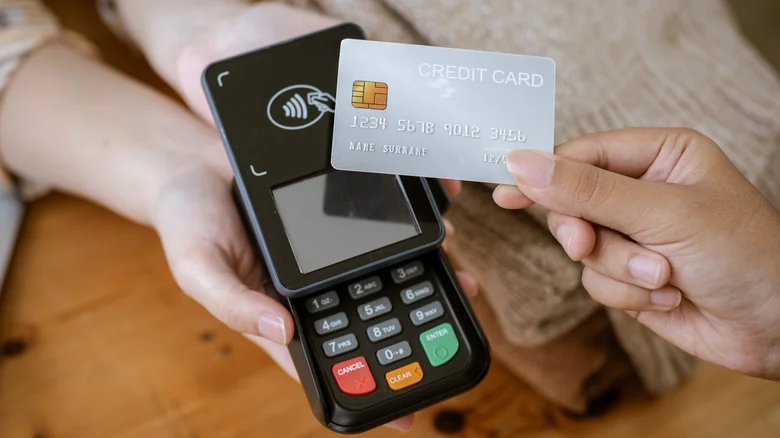
Android phones pack robust anti-scam defenses, yet the insidious NGate attack bypasses them through cunning social engineering that mimics trusted banks. Criminals spoof urgent alerts prompting app downloads outside Google Play, tricking users into tapping credit cards against infected devices for NFC relay—the same tech powering contactless payments. Once relayed, thieves drain ATMs remotely using harvested card data and PINs, emptying accounts before victims notice.
This NFC exploitation preys on NFC convenience, turning tap-to-pay security against users via malicious relays. Awareness and verification thwart it entirely.
NGate Attack Mechanics
Scammers launch with SMS or email posing as banks, citing breaches demanding immediate app installs via shady links evading Play Store safeguards. Follow-up calls and texts from “bank reps” heighten urgency, verifying “legit” downloads.
Victims tap cards to NFC-enabled phones within the app, mirroring checkout flows—criminals nearby relay signals to ATMs instantly. Android 16’s Circle to Search flags suspicious texts, but human trust remains the weak link.
Real-World Impact
Casual shoppers fall hardest: a grocery tap yields ATM raids blocks away. No physical theft needed—relay range spans cities with accomplices. Banks reimburse rarely without proof, leaving victims scrambling.
Built-In Android Protections
Leverage call screening for financial scam detection, Play Protect scans, and biometric app locks. NFC toggles and verified payment apps add layers, but verification trumps tech alone.
Defense Strategies
– Ignore unsolicited bank alerts—access accounts via official apps only.
– Verify via bank websites or branches using known contacts.
– Reject unknown calls demanding info; callback independently.
– Sideloading? Scan with VirusTotal first.
– Enable NFC only for transactions; toggle off otherwise.
Verification Comparison
| Alert Source | Safe Action | Red Flag |
|---|---|---|
| Bank SMS/Email | Login app directly | App download links |
| Unknown Call | Hang up, callback | Urgent verification |
| App Prompt | Play Store only | Direct NFC requests |
| Card Tap | Trusted POS only | “Security check” apps |
Post-Exposure Steps
– Monitor accounts hourly post-suspicion; freeze cards immediately.
– Change PINs across banks; enable transaction alerts.
– Report to FTC/IC3 and bank fraud lines.
– Factory reset phone if app installed.
– Install reputable anti-malware for scans.
Vigilance neutralizes NGate’s deception—official channels never demand hasty taps or sideloading. Android’s evolutions like real-time scam ID empower users, but skepticism remains paramount against polished fakes. Proactive habits preserve finances amid NFC ubiquity, ensuring tap-to-pay stays empowering, not exploitable.


