

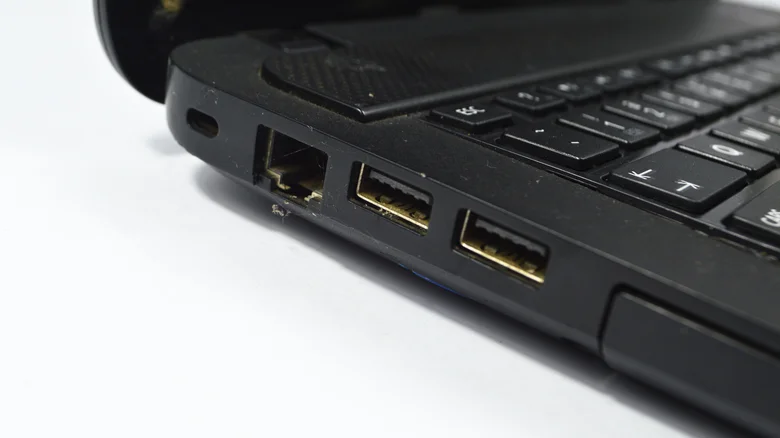
USB ports on laptops, desktops, and gadgets display intentional color coding beyond aesthetics. Blue ports signal USB 3.0 SuperSpeed (5Gbps); orange indicates USB 3.0 with always-on power delivery; teal represents USB 3.1. Black USB ports universally denote USB 2.0 Hi-Speed—maximum 480Mbps despite the “Hi-Speed” branding from 2000.
Black USB 2.0 Specifications
Black ports support legacy USB Type-A cables but bottleneck modern devices. Smartphones, external SSDs transfer at USB 2.0 speeds when connected—ten times slower than USB 3.0 equivalents. Charging remains functional but slower than SuperSpeed ports.
- Maximum 480Mbps data transfer
- Backward compatible with all USB devices
- Released 2000, predates USB 3.0 by decade
- Ideal for mice, keyboards, basic peripherals
USB Evolution and Color Standards
USB (Universal Serial Bus) debuted mid-1990s via Microsoft, Intel, IBM collaboration standardizing PC peripherals. USB 1.0 (white ports) topped 12Mbps; USB 2.0 black ports revolutionized with 480Mbps. Subsequent generations accelerated: USB 3.0 blue (5Gbps), 3.1 teal (10Gbps), 3.2 red (20Gbps).
Color coding enables instant capability identification across uniform physical designs. Black signals basic connectivity; blue/teal/red denote bandwidth tiers. USB-C (USB4) abandons colors for Type-C connectors but retains performance distinctions.
Practical Port Selection Guide
- Black (USB 2.0): Low-bandwidth peripherals
- Blue (USB 3.0): External drives, cameras
- Teal/Red (3.1+): High-speed SSDs, 4K video
- Orange/Yellow: Always-on charging ports
Next device connection, scan port colors strategically. Black suffices for mice/keyboards; reserve blue+ for data-intensive tasks maximizing modern hardware potential.


