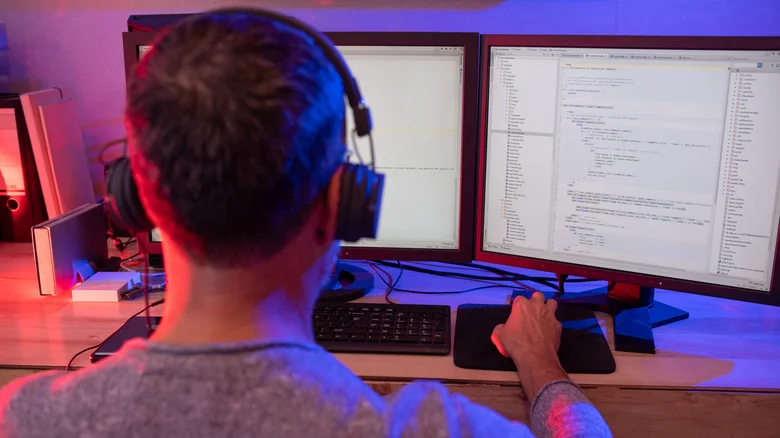
Squeezing maximum productivity from precious work hours demands optimized setups amid constant distractions. Dual monitor users enjoy expanded screen real estate but face compatibility headaches, bandwidth limitations between Thunderbolt and USB-C connections, ergonomic dead zones, window sizing constraints, and resolution mismatches causing eye strain. Ultra-wide or curved single monitors eliminate these issues while delivering seamless workspace expansion.
Dual Monitor Setup Deficiencies
Dual monitors expand workflow through simple display settings adjustment—drag windows between screens effortlessly. Business adoption persists despite inherent drawbacks. Flanking monitors creates central bezel dead space; side positioning sacrifices ergonomic centrality for secondary display utility.
- M1 MacBooks limit to single external monitor plus built-in screen
- Resolution mismatches (4K vs 1080p) produce jarring transitions, eye fatigue
- Bandwidth demands strain older ports/adapters
- Limited uninterrupted window sizing across bezel gap
- Desk space consumed by dual stands/arms
Ultra-Wide Monitor Advantages
Ultra-wide monitors solve dual setup problems elegantly. Originally premium gaming devices like Samsung OLED models, affordability now reaches $200 QHD options such as Samsung ViewFinity series. Standard 16:9 yields movie-style layouts; 21:9 ultra-wide expands horizontal real estate 30%+ for immersive multitasking.
Curved variants maintain perpendicular viewing angles across entire surface—eliminating off-axis distortion. Central desk positioning removes bezel dead zones; windows resize/move freely without screen-spanning interruptions. Single-monitor detection simplifies plug-and-play reliability versus multi-display configuration conflicts.
Ergonomic and Workflow Superiority
Ultra-wide setups center primary focal point ergonomically, reducing neck strain from peripheral glancing. Multiple windows/programs maintain visibility simultaneously—spreadsheets, documents, browsers coexist without Alt-Tab frenzy. Video calls occupy one zone while data analysis fills remainder seamlessly.
Resolution uniformity prevents visual fatigue; consistent pixel density maintains sharp text across workspace. Laptop integration proves straightforward—one cable handles display, power, data. Productivity accessories enhance ultra-wide efficiency further, creating optimal single-monitor command centers rivaling multi-screen complexity without complications.
While premium 4K ultra-wides command $2,800 pricing, accessible alternatives deliver comparable workspace expansion minus dual-monitor headaches—proving single expansive display often trumps fragmented dual arrangements for streamlined modern workflows.