HDMI 2.1 has become a cornerstone of modern gaming and home theater setups, yet confusion surrounds its implementation — especially regarding so-called “fake” ports and bundled cables. Consumer electronics often advertise HDMI 2.1 compatibility, but the standard includes optional features that manufacturers selectively implement, leading to performance discrepancies. This ambiguity extends to cables, where quality directly impacts bandwidth for high-resolution, high-refresh-rate content. For PlayStation 5 and PS5 Pro owners, the included HDMI cable raises a critical question: does it genuinely support the console’s full potential, or should you invest in an upgrade? The good news confirms that Sony equips both systems with authentic HDMI 2.1 cables, unlocking peak performance without immediate replacement needs.
Understanding HDMI 2.1’s role clarifies why this matters. As gaming consoles push boundaries with 4K at 120Hz, 8K resolutions, and advanced HDR, inferior cables bottleneck these capabilities. Sony’s bundled cable — an Ultra High Speed certified model — handles the full 48Gbps bandwidth required for demanding features. While longer runs or niche scenarios might warrant premium alternatives, the stock option suffices for most setups, saving users from unnecessary expense in an already costly hobby.
HDMI 2.1 Features Essential for PS5 Gaming
The PlayStation 5 leverages HDMI 2.1 to deliver transformative visual enhancements that elevate gameplay beyond previous generations. Variable Refresh Rate synchronizes the TV’s refresh with the game’s frame output, eliminating screen tearing and stuttering for fluid motion in fast-paced titles like racing sims or shooters. High Frame Rate modes push 120Hz at 4K, doubling smoothness over 60Hz standards — crucial for competitive multiplayer where every frame counts.
Auto Low Latency Mode switches TVs to Game Mode instantly upon console detection, slashing input lag to imperceptible levels. Enhanced format support includes 4K/120Hz with HDR10, Dolby Vision, and deep color palettes, rendering vivid contrasts and lifelike details. Even 8K upscaling benefits select content, future-proofing your setup. Without HDMI 2.1, these optimizations vanish, reverting to HDMI 2.0 limitations like 4K/60Hz caps and absent VRR.
Confirming Your PS5 Cable’s Capabilities
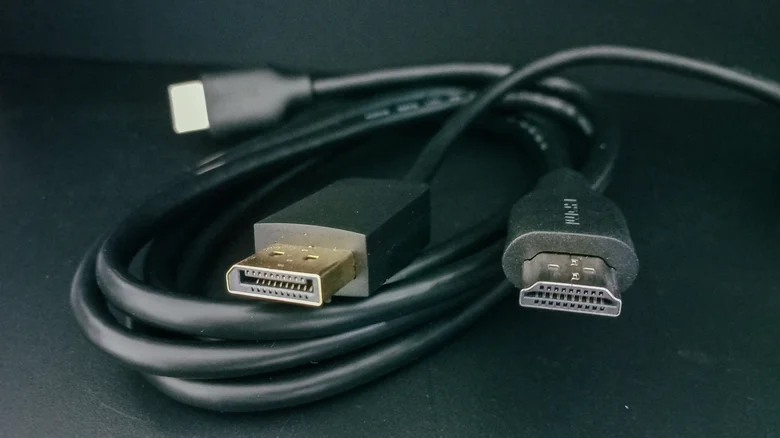
Sony’s PS5 packaging includes a distinctive HDMI 2.1 cable, typically 1.5 meters long, marked with “Ultra High Speed HDMI” certification. This ensures support for the full feature set, from eARC audio return to Dynamic HDR mapping. PS5 Pro bundles an identical or upgraded variant, maintaining consistency. Test compatibility by enabling Performance Mode in PS5 settings, selecting 4K/120Hz output, and verifying VRR/ALLM activation in your TV’s info display.
Physical inspection reveals gold-plated connectors and EMI shielding absent in cheap generics. Bandwidth demands 48Gbps for uncompressed 4K/120Hz RGB 4:4:4 — far exceeding HDMI 2.0’s 18Gbps ceiling. Certified cables like Sony’s pass rigorous testing; uncertified ones flake under load, causing blackouts or resolution drops.
When to Upgrade Beyond the Stock Cable
The included cable excels in standard placements — couch to TV within 2 meters — but longer distances demand “Ultra High Speed” replacements from Belkin, Monoprice, or Zeskit. Aim for active optical cables over 3 meters to combat signal degradation without amplifiers. Wall-mounted TVs or rear-ported consoles benefit from slim, right-angle designs minimizing bends.
Symptoms signaling replacement include intermittent 120Hz dropout, HDR flickering, or VRR failure. Faulty ports or firmware mismatches mimic cable issues — isolate by testing alternate TVs/ports. PS5 Pro’s enhanced ray tracing and AI upscaling amplify bandwidth needs, though the bundled cable copes admirably.
Optimizing Your Complete HDMI Chain
Full HDMI 2.1 realization demands ecosystem alignment. Connect to your TV’s labeled “Game,” “120Hz,” or “HDMI 2.1” port — often port 3 or 4. Enable Quick Media Switching to prevent blanking during startup. AV receivers complicate chains; ensure intermediate devices support HDMI 2.1 passthrough fully, or bypass via direct TV connection.
Future-proofing favors certified cables exceeding spec — 8K/60Hz or 4K/240Hz rated — for emerging PS6 capabilities. Soundbars with eARC unlock Atmos height effects, but verify passthrough specs. Regular firmware updates on PS5, TV, and receiver unlock latent features, maximizing your investment.
Rest assured, Sony prioritizes performance with genuine HDMI 2.1 inclusion, empowering gamers to extract every ounce of next-gen fidelity. Paired with compatible displays and informed setup, this cable transforms theoretical specs into tangible immersion — proving stock bundles can indeed lead the pack.