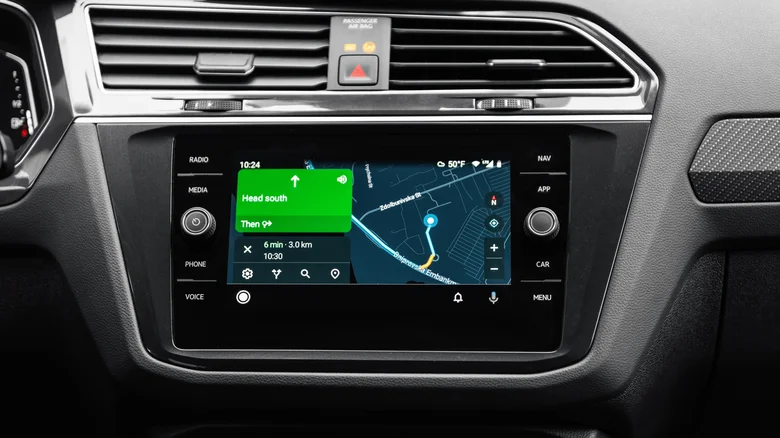
Apple continues to enhance CarPlay with iOS 26, bringing meaningful improvements aimed at making in-car interactions smoother and safer. After introducing the revolutionary CarPlay Ultra experience, the latest iOS 26.2 update focuses on refining core features used by millions who rely on the standard CarPlay interface daily. Two standout additions elevate messaging and widget usage on your vehicle’s infotainment display.
Unpin Messages Directly from CarPlay
Previously, managing pinned conversations in Messages was limited to iOS, iPadOS, or macOS devices, creating a disconnect for users who wanted quick control while driving. iOS 26.2 removes this barrier by allowing users to unpin messages right from the CarPlay screen. This small but powerful feature adds flexibility, letting drivers prioritize conversations on the go without fumbling with the phone.
Whether you want to unpin a pinned group chat or an individual message, the new option simplifies your messaging experience safely via the dashboard. This aligns with Apple’s ongoing effort to reduce distractions and keep eyes on the road.
More Widgets, More Control
Another welcome upgrade is the ability to display three widgets simultaneously on certain CarPlay systems, expanding the previous limit of two. This lets users configure a personalized dashboard with a clock, weather updates, and media controls like Spotify all visible at once, enhancing glanceability without sacrificing safety.
However, a trade-off exists: Live Activities, the dynamic real-time information bubbles for active events like deliveries or flight tracking, cannot coexist with three widgets on the same screen. CarPlay will prioritize either Live Activities or the expanded widget view, so users must choose based on their preference for static or live content.
Refinements and Design Enhancements in iOS 26
The overall CarPlay interface received a Liquid Glass redesign featuring translucent app icons, smoother animations, and fresh wallpapers that mirror the sleek iOS 26 aesthetic. Notifications have been reimagined with a compact design to minimize full-screen interruptions during driving. Incoming calls now appear as discreet banners at the bottom, rather than taking over the entire display.
iOS 26 continues to focus on driver safety by filtering out unknown calls and messages, preventing unexpected distractions by automatically suppressing notifications from unrecognized numbers.
Live Activities Make CarPlay Smarter
Live Activities, first introduced on iPhone in 2022, seamlessly extended to CarPlay in iOS 26. This feature shows dynamic real-time info such as Uber Eats delivery progress, flight updates, or smart home notifications like garage door status—all tailored for the car display. This integration means drivers can stay informed without reaching for their phone, enhancing convenience and safety.
How to Use New CarPlay Features in iOS 26.2
– To unpin messages: Access Messages via CarPlay, select the pinned conversation, and use the new unpin option.
– To add three widgets: Long-press the CarPlay home screen to access widget settings; add up to three widgets like clock, weather, and media.
– To manage Live Activities: Decide whether to prioritize dynamic updates or static widgets; toggle preferences in CarPlay settings on your iPhone.
– To experience the redesigned interface: Update your iPhone to iOS 26.2 and CarPlay will automatically adopt the Liquid Glass look and notification changes.
– To filter unknown notifications: Enable call and message filtering under Driving Focus settings on your iPhone.
What These Updates Mean for Drivers
By expanding messaging controls, increasing widget utility, and refining interface design, Apple enhances CarPlay’s role as an indispensable car companion. Live Activities keep drivers connected to important information with minimal distraction, while the unpin feature improves messaging management on the move.
Apple’s measured upgrades in iOS 26.2 demonstrate their commitment to balancing innovation with safety. These incremental but impactful changes ensure CarPlay remains usable, useful, and user-friendly in increasingly complex driving environments.
Drivers looking to get the most out of their CarPlay experience should install iOS 26.2 when available to take advantage of these conveniences and set their in-car tech up for a smarter, less distracting journey.