Modern home entertainment systems have become surprisingly complex, boasting features that improve both picture quality and overall usability. From HDMI Enhanced settings that refine visual output to voice control integrations that make navigation effortless, today’s TVs are more advanced than ever. Yet, among the many technical options hidden in your television’s settings, one underrated feature stands out for its potential to simplify your entire setup — HDMI-CEC. Though it’s often overlooked, this feature can transform the way you control your home theater by turning multiple remotes into one seamless experience.
HDMI-CEC, which stands for HDMI-Consumer Electronics Control, is a convenient technology built into most modern TVs and devices that connect via HDMI. Its purpose is straightforward: HDMI-CEC allows different gadgets — like your TV, soundbar, Blu-ray player, and gaming console — to communicate and coordinate through a single HDMI connection. In essence, it syncs control commands across all connected devices, allowing actions like turning on your TV to automatically power on your sound system or console. For users who crave simplicity, this can drastically reduce the clutter of multiple remotes while making the entire home entertainment experience feel much more integrated and responsive.
Why HDMI-CEC Matters
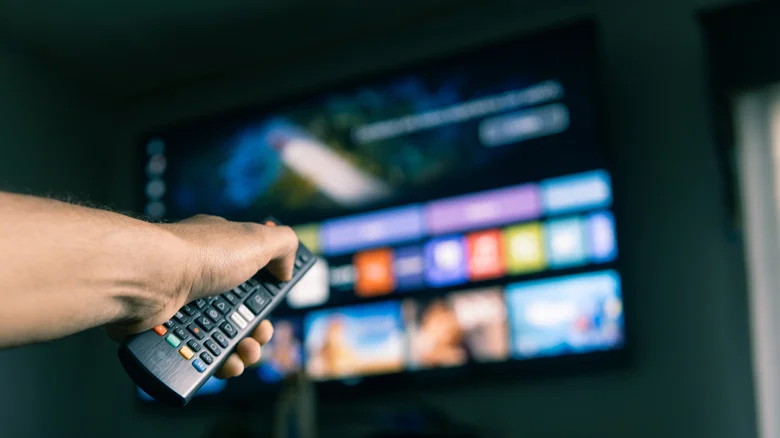
At its best, HDMI-CEC acts like a hidden assistant working in the background. Instead of juggling multiple remote controls, you can use one to manage several interconnected devices. For instance, when you start up your PlayStation or Blu-ray player, your TV automatically switches to the correct input and powers on your soundbar simultaneously. Similarly, adjusting the volume on your TV remote could control your external audio system rather than relying on a separate controller. This “one-touch” ecosystem is particularly useful for people who prioritize convenience and want an effortless setup that simply works. For family use, it streamlines device operation, reducing confusion and avoiding the accidental switching of inputs or devices.
While its benefits are compelling, the magic of HDMI-CEC depends on how you use it. Not all devices respond perfectly to the command sync, and certain configurations can behave unexpectedly. For example, you might want your TV to power off independently, but HDMI-CEC could turn off your connected sound system or gaming console at the same time. Some users appreciate that total automation, while others find it frustrating when they have to manually intervene. Whether it’s a lifesaver or an inconvenience often comes down to your equipment and personal preferences.
Common Issues and Limitations of HDMI-CEC
Despite its promise, HDMI-CEC isn’t flawless. Because each manufacturer implements this feature slightly differently, compatibility can become a real problem. Not all devices speak the same HDMI-CEC “language,” and this can lead to confusion or malfunctioning commands. For instance, if your TV and console interpret the same on/off signals differently, turning off one can trigger unwanted actions from another. A common example is powering down your TV only to find that your cable or satellite box also turns off — and later turns back on when the TV does, even if you weren’t intending to use it.
The inconsistency extends to user experience as well. Some users report input lag or unresponsiveness when HDMI-CEC is active, particularly when switching between sources or controlling volume. Additionally, HDMI-CEC can sometimes interfere with other HDMI functionalities, such as Audio Return Channel (ARC) or its higher-end version, eARC. If you use ARC to transmit sound from your TV to an external audio device, enabling HDMI-CEC might restrict its performance or introduce slight audio delays. Balancing these settings often requires fine-tuning and patience.
Understanding the Branding Confusion
One of the most frustrating aspects of HDMI-CEC is that it doesn’t go by the same name on every TV. Each manufacturer gives the feature its own branding, which makes locating and enabling it unnecessarily confusing. For example, Sony calls it “Bravia Sync,” Samsung refers to it as “Anynet+,” LG uses “Simplink,” Panasonic opts for “Viera Link,” and Toshiba labels it “Regza Link.” Despite the different names, these settings all reference HDMI-CEC and perform virtually identical functions. Typically, the option can be found in your TV’s system or input settings menu. If you’re struggling to locate it, searching by your TV’s brand name along with “HDMI control” in the menu help section will often provide the exact steps needed.
Fortunately, most modern TVs include HDMI-CEC support by default, and it’s been an industry standard since 2005. In nearly all cases, any HDMI port on your TV will support the feature, meaning you won’t have to use a specific connection to take advantage of it. Once enabled, you should experiment with your devices to see how they interact, as turning certain settings on or off within each device’s menu can help you fine-tune the synchronization behavior.
Is HDMI-CEC Right for You?
Whether HDMI-CEC improves your setup depends largely on your viewing habits and the complexity of your system. For users who value plug-and-play simplicity, HDMI-CEC is an invaluable tool — especially if you regularly switch between multiple inputs or want an integrated experience for streaming, gaming, and general TV watching. However, for those who prefer total control or have a mix of older and newer hardware, the occasional quirks might outweigh the convenience. You might find yourself toggling the feature on for specific sessions, then disabling it to avoid conflicts.
Ultimately, HDMI-CEC represents the kind of small but powerful innovation that defines modern home entertainment. It’s a feature that bridges gaps between devices and smooths out the rough edges of complex setups, making your living room feel smarter and more cohesive. The key is to experiment until it fits your preferences — because once you find the right configuration, the convenience of controlling your entire system with a single remote can be hard to give up.