

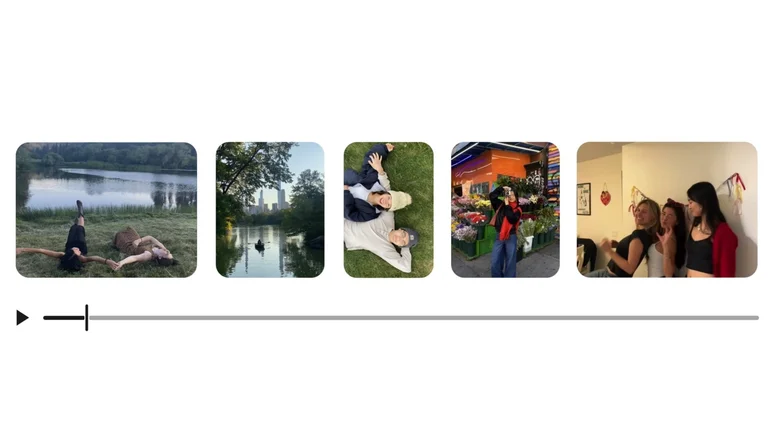
Google Photos just transformed from a simple photo organizer into a capable video editing powerhouse. The latest update introduces a completely redesigned video editor that rivals dedicated apps like CapCut for everyday creators. Available on both Android and iOS, this built-in tool eliminates the need to switch apps for basic edits, offering timeline-based multi-clip editing, music integration, text overlays, and quick templates — all designed for seamless social media sharing.
Whether you’re stabilizing shaky footage, adding cinematic music, or creating highlight reels from vacation clips, Google Photos now handles it effortlessly. Casual users finally get professional-grade tools without the learning curve of complex editors.
The Redesigned Video Editing Interface
The new editor replaces the basic trim-and-filter approach with a full-featured timeline at the bottom of the screen. This universal design supports:
– Multi-clip editing on a single timeline.
– Precise trimming and splitting of video segments.
– Speed adjustments for slow-motion or fast-forward effects.
– Stabilization to smooth out shaky handheld footage.
A rich bottom menu provides instant access to filters, crops, text, music, and effects. The interface feels intuitive yet powerful, bridging the gap between simple phone editors and desktop software.
Quick Templates for Instant Creations
One of the standout features is the template system, perfect for users who want polished results without manual editing. Head to the Create tab, select “Highlight video,” choose a template, and pick your photos/videos. Google Photos automatically syncs cuts, transitions, text, and music to the beat.
Templates cover popular styles:
– Travel montages with sweeping transitions.
– Sports highlights with dynamic speed ramps.
– Family moments with warm filters and heartfelt music.
– Social media reels optimized for Instagram and TikTok ratios.
This feature shines for beginners, demonstrating creative possibilities while delivering share-ready content in seconds.
Manual Editing: Music, Text, and Effects
For hands-on creators, manual tools offer impressive flexibility. Adding music is one-tap simple — browse Google’s curated library of royalty-free tracks organized by mood and genre. Drag to sync beats with video cuts, or let auto-beat detection handle the timing.
Text overlays support:
– Multiple fonts with customizable sizes and colors.
– Animated entrances and backgrounds.
– Precise timeline positioning for subtitles or titles.
Additional effects include color grading, vintage looks, glitch transitions, and aspect ratio adjustments for different platforms.
Google Photos vs. Dedicated Editors
| Feature | Google Photos | CapCut | Instagram Reels |
|---|---|---|---|
| Multi-clip Timeline | Yes | Yes (Advanced) | Limited |
| Music Library | Good (Curated) | Excellent (Trending) | Platform-specific |
| AI Templates | Yes (Basic) | Yes (Advanced) | Yes (Trend-focused) |
| Export Quality | 4K/60fps | 4K/60fps | Platform-optimized |
| Learning Curve | Low | Medium | Very Low |
Google Photos strikes the perfect balance for most users — powerful enough for impressive results, simple enough for instant use.
Cross-Platform Availability and Integration
Both Android and iOS users benefit from identical editing capabilities. Android gets it as the default gallery editor, while iPhone users surpass Apple’s basic Photos app. Videos edited in Google Photos sync across devices, letting you start on phone and finish on tablet.
Seamless social integration includes:
– Direct exports to Instagram Stories, TikTok, and YouTube Shorts.
– Optimal aspect ratios for each platform.
– Preset compression settings for fast uploads.
The Recap feature now exports projects directly to this editor, streamlining year-end highlight creation.
Why This Changes Mobile Video Editing
Google Photos’ video editor addresses the biggest pain point for mobile creators: app-switching. No longer do you need separate apps for shooting, basic edits, advanced effects, and music — everything lives in one place with your entire media library.
For families documenting kids’ events, travelers making destination reels, or social media enthusiasts crafting daily stories, this update delivers exactly what’s needed. Professional editors may still prefer CapCut’s advanced AI tools, but for 90% of video content, Google Photos now suffices.
The beauty lies in accessibility — templates teach editing techniques while manual tools empower experimentation. Combined with Google Photos’ unmatched organization and AI-powered search, it creates a complete mobile creative suite that might just keep users from ever needing third-party editors again.


