

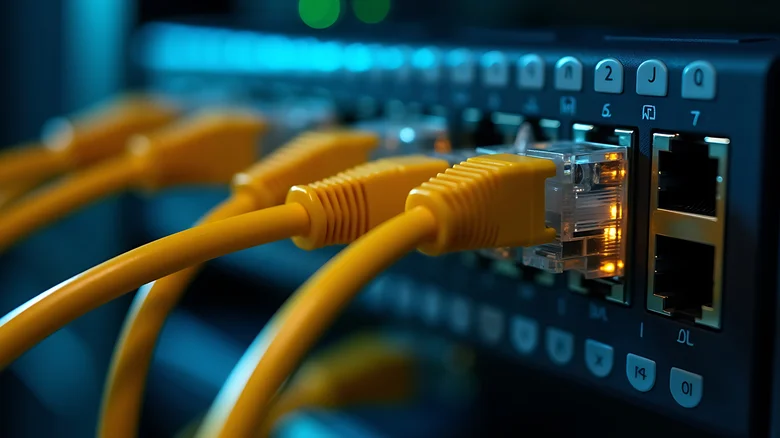
Wired Ethernet connections consistently outperform Wi-Fi for bandwidth-intensive tasks like 4K streaming, competitive gaming, and large file transfers, delivering rock-solid reliability immune to interference or overcrowding. However, many users unknowingly sabotage their hardwired performance by deploying mismatched or outdated cables that silently throttle speeds to legacy levels. Ethernet cables carry “Cat” category ratings—Category 5, 5e, 6, 6a, 7, 8—that dictate maximum bandwidth, shielding effectiveness, and future-proofing, with older generations creating devastating bottlenecks in modern networks.
The lowest common denominator rules: a single Cat5 cable in your chain caps the entire connection at 100Mbps, regardless of gigabit routers or Cat6a runs elsewhere. Builders wiring homes in 2005 often defaulted to Cat5—ratified in 1995—while Cat5e (2001) trickled into consumer markets years later. ISP techs frequently leave unlabeled spares during installs, and bargain-bin cables hide inadequate specs. Check jackets for “Cat6a” printing; absent markings signal suspect performance. Upgrading unlocks your ISP’s full potential, transforming stuttery downloads into blazing transfers.
Ethernet Category Performance Guide
| Category | Max Speed | Max Distance | Best For | Launch Year |
|---|---|---|---|---|
| Cat5 | 100Mbps | 100m | Legacy/basic browsing | 1995 |
| Cat5e | 1Gbps | 100m | Home/office gigabit | 2001 |
| Cat6 | 10Gbps (55m) | 100m (1Gbps) | Gaming/streaming | 2002 |
| Cat6a | 10Gbps | 100m | Future-proof 10GbE | 2009 |
| Cat7/8 | 40/100Gbps | 100m/30m | Data centers | 2010/2016 |
Diagnosing Cable Bottlenecks
Symptoms scream outdated wiring: gigabit router blinking 100Mbps link lights, speed tests peaking at 94Mbps despite 1Gbps ISP, NAS transfers crawling at 11MB/s. Windows/Linux: `ethtool eth0` reveals negotiated speed; macOS: System Information > Network > Link Speed. Ping latency spikes or packet loss during peaks confirm interference-prone old cables lacking twisted-pair shielding.
- Inspect cable jackets for Cat rating print (every 6-12 inches).
- Test speeds: iperf3 server/client between PCs reveals true throughput.
- Router status: Verify all ports negotiate full speed (1Gbps/10Gbps).
- Replace suspects: Cat6a flat cables for walls, round for switches.
- MoCA adapters: 2.5Gbps coax fallback for un-wired homes.
Real-World Upgrade Impact
Cat5-to-Cat6a swaps catapult 100Mbps stragglers to 940Mbps reality, stabilizing Zoom 4K, enabling PS5 120fps VRR, and slashing 100GB backups from hours to minutes. Home labs thrive—Cat6a handles 10GbE NAS raids without SFP+ expense. Builders skimped pre-2010; audit pre-2008 homes ruthlessly. ISP fiber arriving? Cat6a ensures decade-long relevance.
Cat7/8 overkill traps consumers—40Gbps demands enterprise switches exceeding $1000. Shielded cables risk EMI pickup without proper grounding; unshielded Cat6a suffices 99% scenarios. Budget $20-50 per 50ft run; bulk spools slash multi-room costs. Flatten for baseboards, pull fish tape through conduits—future-proof now amid ISP 10Gbps pushes.
Wireless temptation lures, yet 6GHz Wi-Fi 7 peaks sub-gigabit amid walls, never matching Ethernet’s 10Gbps determinism. Game consoles mandate Cat6+ for 1Gbps NAT; prosumers demand Cat6a for Unraid clusters. Ethernet’s permanence crushes Wi-Fi’s volatility—invest once, reap forever as bandwidth explodes.


