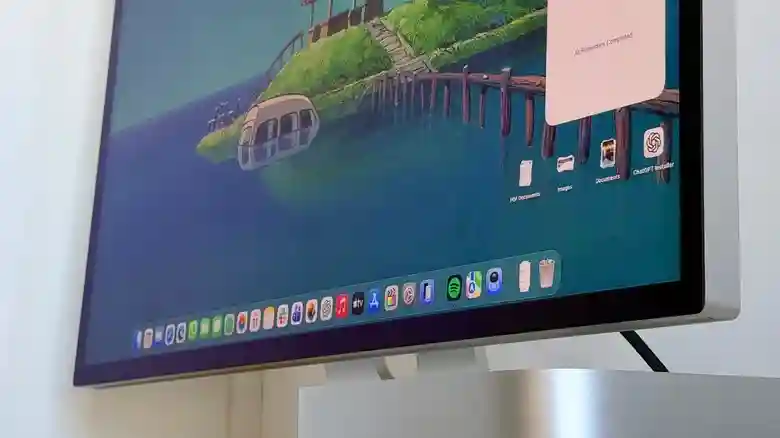
While cross-platform software dominates modern computing, macOS maintains a curated collection of exclusive applications that leverage Apple’s tightly integrated hardware-software ecosystem. These native tools showcase platform-specific optimizations impossible elsewhere — Metal graphics acceleration, Apple Silicon efficiency, Continuity features, and macOS design language create unmatched fluidity. Longtime Mac users discover workflow elegance through these specialties, while Windows switchers encounter delightful surprises elevating daily computing beyond functional equivalence. Five standout exclusives transform routine tasks into crafted experiences unique to Apple’s universe.
From immersive nature escapes and AI-powered editing to professional video production, UI prototyping, and distraction-free writing, these applications embody macOS’s philosophy of thoughtful minimalism meeting raw power. Each demands the Mac platform specifically, repaying investment through seamless integration and performance unavailable via emulation or web apps.
Portal: Cinematic Nature Immersion
Portal by Portal Labs revolutionizes desktop ambiance, replacing static wallpapers with dynamic 3D landscapes complete with spatial audio and real-time circadian lighting synced to your timezone. Vivid forests, ocean waves, and mountain vistas respond to cursor movement while nature soundscapes — birdsong, wind, streams — enhance focus during work sessions. Circadian Flow transitions dawn golden hours to twilight blues, proven to reduce eye strain and boost creativity per developer studies.
Mac-exclusive spatial rendering utilizes TrueDepth camera data and Metal 3 shaders for parallax depth impossible on other platforms. Free 7-day trial precedes $69.99/year, $12.99/month, or $299 lifetime licenses via Mac App Store. Perfect for hybrid workers seeking mental health breaks without leaving their desk.
Pixelmator Pro: Intelligent Photo Editing
Apple’s 2024 Pixelmator acquisition preserved this gem as macOS’s premier Photoshop alternative — one-time $49.99 purchase delivers ML-powered editing surpassing subscription models. Super Resolution upscales images 4-16x retaining detail; ML Super Resolution removes noise while preserving texture. Color Balance sliders intuitively match lighting across complex scenes; ML Object Selection auto-masks subjects with single clicks.
Core ML integration leverages Neural Engine for real-time mask refinement and sky replacement. Non-destructive layers, batch processing, and Shortcuts integration create pro workflows minus Adobe bloat. Recent Apple Intelligence updates add generative inpainting directly within the canvas — paint away unwanted elements with text prompts. Indispensable for creators avoiding cloud dependencies.
Final Cut Pro: Magnetic Timeline Mastery
Apple’s $299 one-time purchase pro video suite dominates Mac editing through Metal-optimized playback and Apple Silicon transcoding 5-10x faster than competitors. Magnetic Timeline auto-arranges multicam clips while preserving sync; multicam angle editing switches perspectives non-destructively. Object Tracker follows subjects across footage for automated masking; Scene Removal masks talent against green screens instantly.
Optimized Media Engine exports ProRes 422 at 8K/120fps real-time on M4 Max; Compressor integration handles delivery formats natively. Third-party plugin ecosystem rivals Premiere without subscription creep. Spatial video editing for Apple Vision Pro positions FCP as future-proof investment spanning decades of Mac hardware generations.
Sketch: Native UI Prototyping
Sketch defined macOS design workflows, powering millions of app interfaces through vector precision and Symbols system enabling reusable components. Nested Boolean operations create complex shapes non-destructively; Smart Layouts auto-adjust spacing across breakpoints. Prototype mode generates shareable browser links previewing gestures, transitions, and device frames.
macOS-exclusive features include Quick Look previews, Services menu integration, and Handoff to iPad for Pencil sketching. $12/month subscription follows 30-day trial; team libraries sync design systems company-wide. Figma’s web dominance hasn’t displaced Sketch’s native performance for pixel-perfect mobile app design.
Ulysses: Distraction-Free Writing Studio
Ulysses crafts writerly focus through markdown-powered editor with typewriter scroll keeping cursor centered. Sheet organization nests projects hierarchically; Goals track daily wordcounts with progress rings. Custom CSS themes and typewriter sounds recreate typewriter tactility; typewriter mode scrolls content to maintain cursor position.
20-language proofreading rivals Grammarly minus privacy concerns; export directly to WordPress, Medium, Ghost preserving formatting. Library tagging system rivals Evernote; external folder sync integrates Dropbox/DevonThink repositories. Subscription model funds iPhone/iPad Continuity; distraction-free sheets collapse to writing canvas instantly. Essential for novelists, bloggers, and journalists seeking sustainable habits.
These macOS exclusives demonstrate Apple’s continued platform differentiation through native optimization and creative tooling. Portal restores mental balance, Pixelmator/FCPX power visual storytelling, Sketch prototypes interfaces, Ulysses nurtures prose — each repays Mac investment through capabilities literally impossible elsewhere. Download trials today; discover why creators remain steadfastly Apple loyal despite cross-platform abundance.