

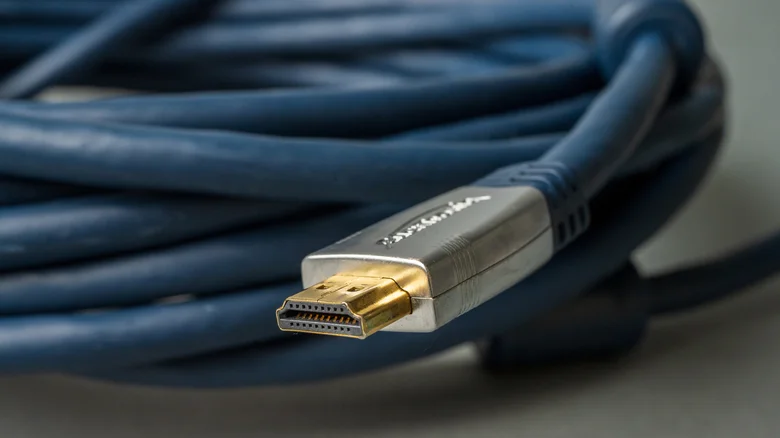
Setting up a new television or entertainment console should be an exciting experience, but it often leads to a moment of confusion when faced with a row of identical-looking HDMI ports. The common assumption that these ports are interchangeable is a fundamental misunderstanding that prevents many users from accessing the full performance and feature set they paid for. Modern AV equipment is designed with specific capabilities assigned to different ports, and plugging a high-end device into the wrong one can silently cap resolution, limit refresh rates, disable advanced gaming features, or restrict audio formats. This gap between potential and actual performance stems from a handful of pervasive myths about HDMI technology. Demystifying these misconceptions is essential for anyone looking to optimize their home theater or gaming setup, ensuring that premium hardware delivers on its promises without unnecessary compromise or expense.
All HDMI Ports on Your TV Are the Same
The physical uniformity of HDMI ports belies a significant technological hierarchy. It is a critical mistake to assume every port on a television offers identical bandwidth and feature support. Manufacturers typically equip sets with a mix of HDMI standards—commonly HDMI 2.0 and the more advanced HDMI 2.1. An HDMI 2.0 port is capable of handling 4K resolution at a 60Hz refresh rate, which suffices for most streaming content and last-generation gaming consoles. In contrast, an HDMI 2.1 port supports substantially higher bandwidth, enabling 4K at 120Hz, 8K video, and essential gaming technologies like Variable Refresh Rate (VRR) for smoother motion and Auto Low Latency Mode (ALLM) for reduced input lag. For owners of a PlayStation 5, Xbox Series X, or a high-end gaming PC, connecting to an HDMI 2.0 port instead of an HDMI 2.1 port means forfeiting the smoother 120fps gameplay and more responsive controls these consoles can provide. There is no universal labeling standard, so the only reliable way to identify the capabilities of each port is to consult the television’s user manual or specifications sheet before making any connections.
The ARC or eARC Port Is Only for Audio Equipment
Another widespread myth concerns the port labeled ARC (Audio Return Channel) or eARC (Enhanced Audio Return Channel). The name suggests a specialized, audio-only function, leading many to believe it cannot be used for video sources. This is incorrect. While the primary purpose of ARC/eARC is to simplify audio setup by allowing a TV to send sound from its built-in apps back to a soundbar or AV receiver through a single HDMI cable, these ports are fully functional HDMI inputs. In fact, the eARC port is often the most capable connection on the entire television, frequently being the sole port that supports the full HDMI 2.1 feature set. This makes it an ideal, and sometimes necessary, choice for connecting a next-generation gaming console or a high-bandwidth media player. Using the eARC port for your primary device ensures you benefit from both the highest video performance and the ability to pass through premium, uncompressed audio formats like Dolby Atmos to your audio system, creating a unified and optimal connection point.
HDMI Ports Don’t Wear Out or Degrade
A dangerous assumption is that HDMI ports are indestructible components immune to wear and tear. In reality, they are susceptible to physical degradation and failure. The ports are soldered directly to the television’s main circuit board, and the repeated stress of plugging and unplugging cables can fatigue these solder joints over time. This can lead to intermittent signal loss, visual artifacts like “sparkles” on the screen, or a complete failure to establish a connection. Physical damage is also a major risk; the delicate internal pins can be bent or broken if a cable is inserted at an angle or with excessive force. Furthermore, dust accumulation in unused ports can impair connectivity, and accidental tugs or impacts on connected cables can crack the port’s housing or its solder points. Repairing a damaged HDMI port is a complex, specialized task requiring micro-soldering expertise, making it costly and often not economically viable. The best defense is careful handling: align cables properly before insertion, avoid frequent disconnections, and consider using a high-quality HDMI switcher or receiver to act as a permanent, protected hub for your devices, minimizing physical strain on the TV’s own ports.


