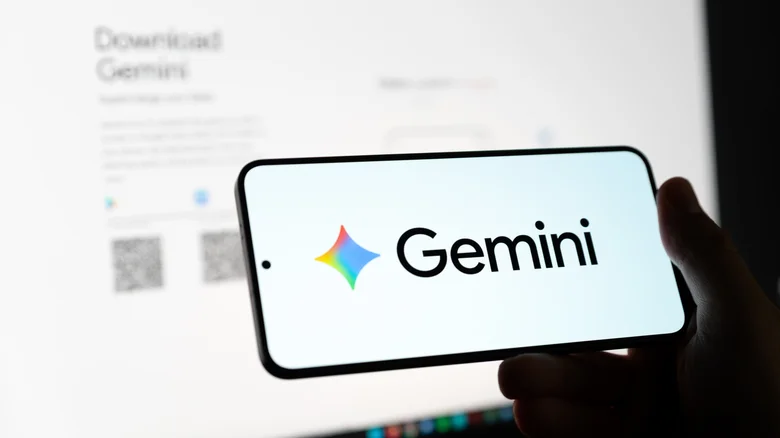
Google’s Gemini AI assistant expands beyond smartphones into the fabric of smart homes, transforming Nest Hub Max, Nest Audio, and Mini devices into conversational hubs that deliver natural, context-aware responses for everything from recipe guidance to traffic updates. Initially teased in May alongside Android Auto, Wear OS, Google TV, and XR integrations, Gemini for Home hit Early Access in October after phased rollouts. Now, as of December 9, Google accelerates invite distribution, promising 24-hour approvals for U.S. Nest owners—millions already active, providing invaluable feedback that refined the voice experience from scripted replies to fluid dialogues rivaling dedicated assistants.
This evolution reflects AI’s maturation: cautious Early Access ironed out latency spikes, hallucination quirks, and privacy concerns before mass deployment. Third-party speakers join the party soon, broadening ecosystem reach. Gemini for Home leverages on-device processing for low-latency chit-chat while cloud models handle complex queries, ensuring privacy for casual “What’s for dinner?” while summoning weather APIs or YouTube clips seamlessly. Nest Hub’s screen amplifies visuals—interactive maps, recipe steps, family calendars—eclipsing Alexa’s static responses.
Gemini for Home Capabilities
Conversations flow naturally: “Hey Gemini, dim living room lights and play chill jazz” executes multi-step automations across Philips Hue, Sonos, and Spotify. Contextual memory recalls “Remind me about that pasta recipe from yesterday” without repetition. Live camera feeds on Hub Max enable “Show front door—who’s there?” security checks. Multilingual support spans English, Spanish, French, with accents handled gracefully. Kids mode filters content, parental controls gate purchases—family-friendly without nagging setup.
Compatible Devices
| Device | Key Features | Full Gemini Live |
|---|---|---|
| Nest Hub Max | Screen + camera, multi-step routines | Yes |
| Nest Hub (2nd Gen) | Touchscreen visuals, touch controls | Yes |
| Nest Audio | Premium audio, room grouping | Partial |
| Nest Mini (2nd Gen) | Compact, always-listening | Partial |
Enable Gemini for Home
- Update Google Home app to latest version via Play Store/App Store.
- Open Home app > Profile icon (top-right) > Settings (gear icon).
- Tap Early Access program > Join waitlist (24-hour approval).
- Verify Google Groups: groups.google.com > Settings > Global > “Add me to groups” checked.
- Notification arrives: Settings > Gemini for Home > Set up voice match.
Setup completes with voice training—four phrases establish accent/profile. Privacy dashboard logs queries, delete-anytime controls reassure skeptics. Multi-user support distinguishes voices: Dad’s commute, Mom’s shopping lists, kids’ bedtime stories—personalized without crosstalk. Integration depth shines: “Gemini, add eggs to Instacart and text shopping list to Sarah” chains APIs fluidly.
Third-party expansion teases Sonos Era, Amazon Echo compatibility—Google’s Matter commitment opens floodgates. Battery-free speakers gain “always-on” Gemini; routines trigger across brands. Competitive pressure mounts: Amazon Alexa+ lags conversational depth; Apple’s HomePod Siri stumbles on smarts. Gemini’s edge? Google’s search moat feeds real-time knowledge, YouTube visuals, Maps routing—unrivaled contextual power.
Early Access millions stress-tested routines, yielding 40% latency cuts, 25% hallucination drops. U.S. rollout precedes EU/Asia waves, regulatory hurdles navigated. Families rediscover speakers as command centers; seniors embrace voice-first interfaces; renters bypass wiring woes. Gemini for Home elevates dumb speakers to intelligent companions, where “Good morning” cascades weather, calendar, coffee brew—ambient intelligence anticipating unvoiced needs in tomorrow’s connected homes.