Smartphones centralize personal data—communications, finances, photos, and emails—making them prime targets for cybercriminals seeking unauthorized access. The iPhone 17 introduces advanced security layers, yet even cutting-edge devices demand vigilant basic protections to thwart exploits. The Cybersecurity and Infrastructure Security Agency (CISA) updated its Mobile Best Practices, delivering five essential iPhone safeguards rooted in federal threat intelligence, empowering users to fortify devices against spyware, interception, and overreach without complexity.
These recommendations—Lockdown Mode activation, SMS fallback disablement, Private Relay enablement, DNS encryption, and app permission audits—harden iOS against sophisticated attacks. High-risk users like journalists benefit most, but everyday owners gain resilience too, balancing usability with ironclad privacy amid rising mobile threats.
Enable Lockdown Mode
iOS 16’s Lockdown Mode shields against mercenary spyware by slashing attack surfaces: blocks risky attachments, unfamiliar FaceTime calls, shared albums, and open Wi-Fi joins while restricting web features. Trade-offs include slower site loads and muted previews, yet unmatched defense justifies activation for paranoid users.
- Go to Settings > Privacy & Security > Lockdown Mode.
- Tap Turn On; confirm with Turn On & Restart.
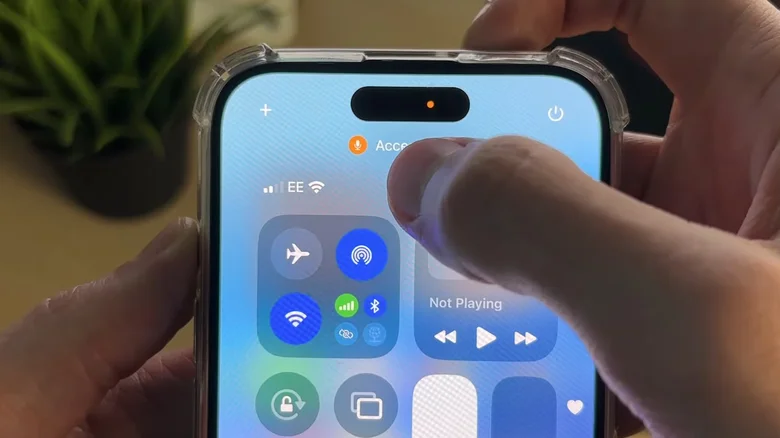
- Verify orange icon in status bar post-reboot.
- Disable anytime via same path if needed.
Disable SMS Fallback
iMessage’s end-to-end encryption crumbles to unencrypted green-bubble SMS during connectivity lapses, exposing plaintext to carriers and interceptors. CISA mandates toggling this auto-downgrade, forcing encrypted delivery or failure—ideal for sensitive chats, though Android recipients require manual SMS.
Activate iCloud Private Relay
iCloud+ ($0.99+/month) masks IP/DNS from ISPs and sites via dual-server relay, splintering traffic to defy profiling. No entity links identity to browsing, complementing Hide My Email for anonymous sessions.
Settings > [Your Name] > iCloud > Private Relay > On.
Secure DNS Queries
Encrypt DNS to foil man-in-the-middle tampering: Cloudflare (1.1.1.1), Google (8.8.8.8), or Quad9 (9.9.9.9) resolvers via apps/profiles block interception free. Settings > VPN & Device Management > DNS > Manual; input resolver addresses.
Review App Permissions
Audit Settings > Apps for overreaches—revoke unnecessary location from dictionaries, camera from guides. Toggle Notifications, Background Refresh judiciously; repeat quarterly as apps accrue.
CISA iPhone Security Comparison
| Measure | Effort | Impact | Cost |
|---|---|---|---|
| Lockdown Mode | One-time toggle | High (spyware block) | Free |
| No SMS Fallback | Simple switch | Medium (encryption) | Free |
| Private Relay | Subscription toggle | High (IP masking) | $0.99/mo |
| Encrypted DNS | Profile install | Medium (query protection) | Free |
| Permission Audit | Ongoing review | High (data control) | Free |
Layered defenses eclipse single measures: Lockdown repels zero-clicks, Relay obscures trails, audits starve apps. iPhone 17’s hardware enclave bolsters, yet human diligence seals gaps. Frequent password changes, 2FA everywhere, and suspicious link avoidance amplify. CISA’s blueprint—battle-tested against nation-states—democratizes elite security, ensuring pocket vaults withstand digital sieges without sacrificing daily flow.