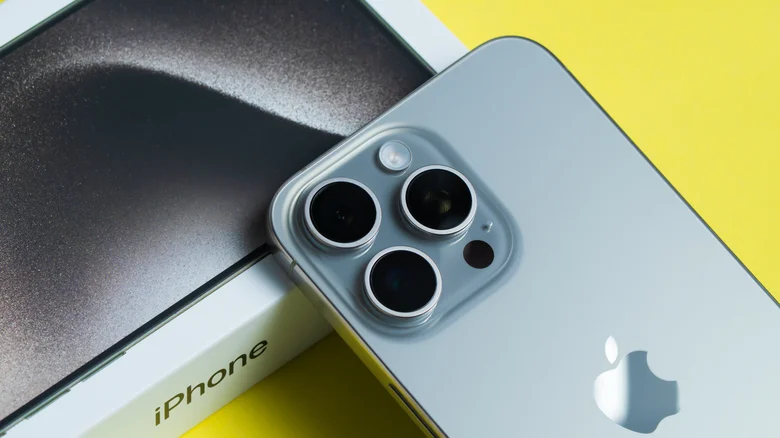
Apple’s virtual assistant has seen a remarkable evolution since its debut in 2011. What was once a modest tool for setting reminders and checking the weather has transformed into a sophisticated AI-driven companion. With the release of the iPhone 17 series and iOS 26, **Siri’s integration with Apple Intelligence** marks a new era of contextual understanding, device synergy, and intuitive user support. The assistant now feels less like a digital interface and more like a personal concierge rooted in your Apple ecosystem.
The Power of Context and Conversation
One of Siri’s most striking upgrades lies in its newfound contextual awareness. You can now carry on conversations that maintain continuity without restating details every time. Let’s say you ask Siri, “When was *Babe: Pig in the City* released in theaters?” and then follow up with, “Did critics like it?” Without needing to repeat the title, Siri understands the connection and provides relevant information seamlessly.
This conversational fluidity is possible thanks to **Apple Intelligence**, Apple’s suite of on-device AI processes powered by the latest Neural Engine. The result is an assistant that feels human, adaptive, and deeply personal — analyzing your query history and adjusting responses accordingly. Though still considered in beta, this AI architecture ensures your private information stays securely on the device, differentiating Apple’s approach from data-dependent competitors.
Beta Stage, But Bold Potential
Apple has made it clear that its AI ecosystem is still evolving. Contextual intelligence currently works best within Apple’s core apps — Safari, Messages, Mail, Calendar, and Photos — but is gradually expanding to third-party developers. This methodical rollout means users can enjoy consistent, reliable experiences rather than flawed features rushed to market.
Even in its limited stage, Apple Intelligence has already demonstrated remarkable utility. Siri can now interpret ambiguous requests and anticipate follow-up questions. For instance, if you ask, “What’s my next trip?” and then say, “Remind me to charge my iPad before it,” Siri knows you’re referring to that specific event in your calendar.
Type, Tap, or Talk — Total Control with Siri
Apple’s vision for accessibility shines through the latest Siri features. You no longer have to rely solely on voice commands; you can also type or tap your way through interactions.
Here’s what makes the new Siri even more convenient:
– Use **Tap to Siri** by double-tapping the lower edge of your iPhone or iPad screen to activate Siri silently.
– A search and input bar appears, allowing you to **type your request** instead of speaking aloud — ideal for office meetings or shared spaces.
– Siri’s keyboard interface also supports emoji and natural language input, offering a truly hybrid communication experience.
This feature complements Apple’s broader emphasis on **quiet interaction** — giving users flexibility whether they’re dictating, typing, or exploring features in silence. And for multi-device households, it solves one of Siri’s oldest annoyances: accidentally triggering multiple devices with a single “Hey Siri.”
Guiding You Through the Apple Universe
More than ever before, Siri serves as a hands-free tutorial engine. If you’re new to Apple products, the assistant can walk you through step-by-step setup guides and troubleshooting instructions. For example, you can simply ask:
– “How do I play TV sound through my HomePod?”
– “How do I connect my AirPods to my iPhone?”
– “Can you show me how to change notification styles?”
Siri not only answers but dynamically adapts to your current device configuration — offering instructions perfectly matched to your model, OS version, and connected accessories.
Apple Intelligence vs. the Competition
| Feature | Apple Intelligence + Siri | Google Assistant | Amazon Alexa |
|---|---|---|---|
| Contextual Awareness | Follows full conversations and remembers session context | Partial contextual recall between questions | Basic one-step contextual understanding |
| Privacy | On-device processing; minimal data sharing | Cloud-based with anonymized data collection | Cloud processing with optional privacy settings |
| Integration | Complete integration across iPhone, iPad, Mac, Apple Watch | Broad Android and Google ecosystem support | Optimized for smart home devices |
What’s Next for Siri
A major Siri overhaul is anticipated in 2026, and leaks suggest an assistant that blends **predictive intelligence, emotional tone mapping**, and **cross-app autonomy**. The idea is to create a voice assistant that not only responds but **acts proactively** — summarizing your day, adjusting schedules, and even suggesting when to rest.
Apple’s measured but consistent approach ensures each upgrade feels stable, integrated, and private. While competitors focus on speed and scale, Apple continues to refine the interplay between personalization, trust, and intelligence.
Final Thoughts
Siri’s evolution through Apple Intelligence showcases Apple’s long-term strategy: combining hardware innovation with deeply embedded AI refinement. The assistant of 2025 is no longer a utility — it’s a collaborator that grows smarter with your habits.
From typing and tapping to full contextual dialogues, Siri now represents the most natural, intuitive link between human intention and Apple’s vast digital ecosystem. And as Apple Intelligence continues to mature, we may soon witness Siri’s most transformative leap yet — one that finally fulfills the promise of a truly personal assistant.