

It may finally be time to ditch dedicated streaming devices such as the Amazon Fire TV Stick or Roku Streaming Stick, at least in certain scenarios. Smart TVs equipped with platforms like Roku TV, Amazon Fire TV, or Google TV offer built-in streaming capabilities that eliminate the need for extra hardware. Major brands integrate their own apps, allowing instant access to services like Netflix or Hulu without additional setup or connections.
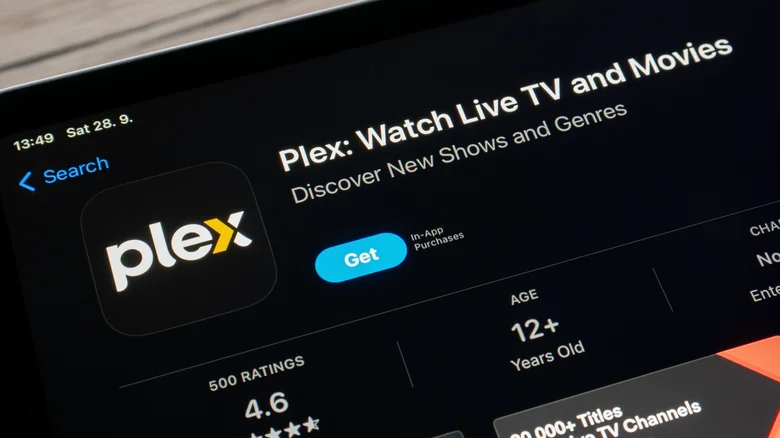
Beyond smart TVs, self-hosted solutions provide powerful alternatives for users building personal media libraries. Plex Media Server stands out as a popular choice, organizing and streaming your collection across devices. Jellyfin offers a free, open-source option with similar features, while a local NAS server turns any hard drive into a network-accessible media hub for both local and remote playback. As these trends gain momentum, reliance on standalone streaming sticks continues to fade, empowering users with greater flexibility and control.
Smart TV Software: The Plug-and-Play Choice
TV remote in foreground with media on TV in background
Opting for your smart TV’s built-in software delivers seamless convenience for effortless streaming. Ideal for subscribers to Disney+, Netflix, or Paramount+, it requires only a Wi-Fi connection to launch apps and binge-watch favorites. This setup shines in minimalist environments, such as wall-mounted TVs on patios or clutter-free bedrooms, where extra cables and devices would disrupt the aesthetic.
Smart TVs also excel with cloud-based libraries from services like Fandango at Home, Amazon Prime Video, or YouTube. Your purchased or rented movies stream directly without local storage hassles. Many platforms support free ad-supported options, expanding your viewing choices without extra costs. Regular software updates keep interfaces smooth and secure, ensuring long-term reliability across models from Samsung, LG, or TCL.
Personal Media Libraries: Ultimate Control and Customization
Network attached storage drive rendering with case
Plex, Jellyfin, and NAS setups grant unparalleled command over your entertainment ecosystem. Stream personal collections—movies, TV shows, music—without intrusive ads from free services, preserving immersion during family movie nights. Parents appreciate the ability to curate content, blocking mature titles to create safe viewing zones for kids.
Sharing becomes effortless: invite family or friends to access your library locally or remotely via secure invites. Traveling? Pull up your media on a phone or laptop anywhere with internet, or download episodes for offline flights. NAS hardware, like Synology or QNAP models, pairs perfectly with Plex or Jellyfin software, handling transcoding for smooth 4K playback on varied devices. Plex’s advanced features, including live TV tuning and hardware acceleration, justify the optional Plex Pass at $5 monthly (or $120 lifetime), unlocking mobile sync and more.
Comparing Your Streaming Options
| Option | Setup Effort | Cost | Best For | Key Features |
|---|---|---|---|---|
| Smart TV | Low (Wi-Fi only) | TV purchase + subs | Simple subscriptions | Built-in apps, cloud streaming, free channels |
| Plex/Jellyfin + NAS | Medium (server setup) | Hardware + optional Pass | Personal libraries | Ad-free, offline downloads, remote access, parental controls |
| Dedicated Stick | Low (plug-in) | Device + subs | Older TVs | Portable, app variety, voice remotes |
Getting Started with Plex Media Server
Transform your media hoard into a private Netflix with these steps:
- Download Plex Media Server from plex.tv and install on a PC, Mac, or NAS.
- Create a free Plex account and sign in during setup.
- Add media folders: point Plex to your movie, TV, and music directories.
- Install Plex apps on TVs, phones, or Roku for playback.
- Enable remote access in settings for outside-home streaming.
- Upgrade to Plex Pass for extras like offline sync (optional).
This approach scales with your collection, supporting metadata fetching for stunning posters and subtitles. Jellyfin follows similar steps but skips accounts for pure local use. Whether chasing simplicity or sovereignty, these trends redefine home entertainment in 2025.


