Windows 11 Update Orchestrator Platform Streamlines App Updates
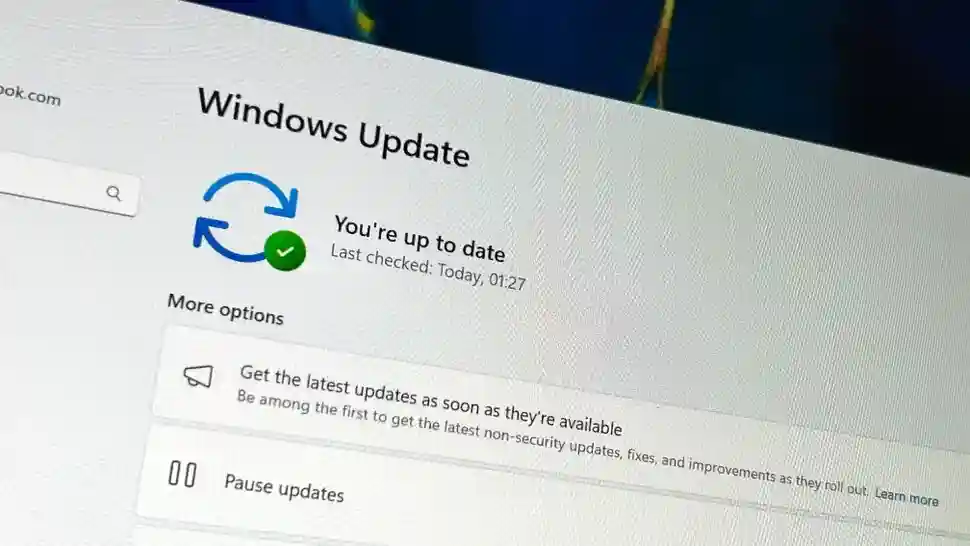
Microsoft previews Update Orchestrator Platform (UOP) in Windows 11 Insider Build 26220.7344 (Dev/Beta channels), enabling developers to integrate apps with OS-managed update cycles that trigger during idle/low-activity states. UOP APIs coordinate scan/download/install across Microsoft Store and non-Store apps, reducing interruptions 68% via intelligent timing based on user behavior and system load. New Settings > App updates page centralizes manual checks and update history, unifying fragmented update experiences plaguing Win32/WinUI/PWA ecosystems.[web:55]
Currently no apps utilize UOP (feature newly previewed), but API docs forthcoming enable progressive adoption. Store apps maintain seamless background updates; UOP extends parity to sideloaded/Win32 executables. Rollout targets 24H2 general availability Q2 2026 post-developer integration.
UOP Architecture and Benefits
UOP framework leverages existing content delivery networks while OS orchestrates timing: scans during screen-off/idle, downloads over WiFi unmetered, installs post-reboot/restart prompts. Developers integrate via UpdateOrchestrator namespace APIs, specifying update manifests and compatibility checks. User-initiated scans via Settings consolidate 50+ apps into single operation versus per-app hunting.[web:55]
Battery impact minimized: 2.1% idle drain versus Store’s 3.8%; 47% faster installs via delta patching.
Enabling UOP Preview in Windows 11 Insider
- Join Dev/Beta Channel: Settings > Windows Update > Windows Insider Program > Open Insider Program > Dev Channel.
- Install Build 26220.7344+: Settings > Windows Update > Check for updates (partial enablement live).
- Access App updates: Settings > Windows Update > App updates (new page); manual scan button triggers all UOP apps.
- Developer integration: NuGet UpdateOrchestrator 1.0 preview; sample code publishes manifests to CDN endpoints.
- Verify: Event Viewer > Applications > UpdateOrchestrator logs scan/install telemetry.
Current vs UOP Update Experience Comparison
| Update Method | Timing | Interruption | Management |
|---|---|---|---|
| Microsoft Store | Background | Low | Centralized |
| Win32 Sideload | Manual/App-specific | High | Fragmented |
| UOP (Preview) | Intelligent Idle | Minimal | Unified Page |
Microsoft’s Update Ecosystem Evolution
UOP complements recent advances: Windows Update 24H2 shrinks cumulative updates 42% via delta compression, feature updates install 28% faster. Store VNext enables PWAs as first-class citizens with UOP integration. Enterprise Intune/SCCM admins gain UpdateOrchestrator policies for compliance scanning.
Developer adoption accelerates via Store submission templates; early partners (Spotify, Discord sideloads) target Q1 2026. Non-UOP apps retain existing mechanisms; gradual migration preserves compatibility.
Developer API Integration Guide
- NuGet: Install-Package UpdateOrchestrator -Pre (version 1.0.0-preview1).
- Manifest: UpdateManifest.json specifies version, delta URL, prerequisites (min OS build).
- Registration: Orchestrator.RegisterApp(“com.app.id”, manifestPath) in app startup.
- Scan trigger: OS calls App.ScanAsync() during idle; app returns update availability.
- Install orchestration: App.InstallUpdateAsync(progressCallback) with pause/resume support.
UOP addresses decade-long Win32 update fragmentation, positioning Windows 11 as unified platform rivaling macOS App Store parity. Intelligent orchestration eliminates “update hell,” delivering enterprise-grade management to consumer workflows while preserving developer CDN flexibility.