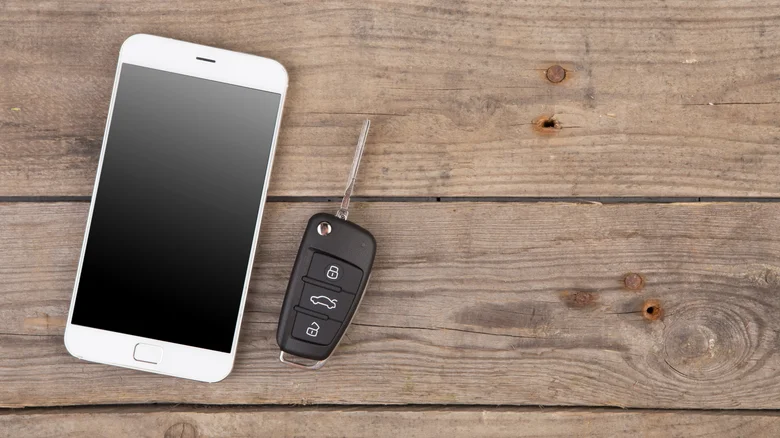
As technology advances, cars are becoming increasingly integrated with digital systems, resembling computers and smart electronic devices. One major innovation is the ability to store a digital car key on your smartphone or smartwatch. This approach replaces traditional physical key fobs with a virtual key, allowing enhanced control and convenience through your personal devices.
With a compatible Android device, such as a smartphone or smartwatch, you can save a digital key that offers all the essential functions of a physical key. This includes locking and unlocking doors, starting the engine, and even additional remote capabilities like opening the trunk or activating the alarm system. Importantly, even if your phone’s battery dies, you can still use the digital key to enter and start your car for several hours, preventing lockouts when charging isn’t immediately possible. The digital key is securely stored in your Google Wallet app, providing an easy way to keep it alongside other cards and IDs.
Checking Compatibility for Digital Keys
To use a digital car key, both your vehicle and your Android device must support the technology. Older car models or outdated smartphones might lack the necessary hardware or software features. To confirm compatibility, you can refer to official compatibility lists provided by Android or device manufacturers:
– Check the Digital Car Key page on the Android website for supported car models and devices.
– Samsung users with devices like the Galaxy Watch can review the Digital Key FAQ page on Samsung’s website for specific compatibility details.
Once compatibility is confirmed, setting up your digital key is a streamlined process, usually managed through the Google Wallet app.
How to Set Up Your Digital Car Key
Setting up a digital key involves a few simple steps regardless of the path you choose:
– Install your car manufacturer’s app if available and follow the setup instructions specific to your brand.
– Use a direct “Add to Android” link provided in an email from your car dealership or manufacturer.
– Set up the digital key directly through your car’s infotainment system if it supports this feature.
During setup, you will:
– Sign in with your Google account.
– Agree to the terms and conditions.
– Pair your phone with your car—sometimes by placing it over a designated key reader inside the vehicle.
– If you have a compatible smartwatch paired to your phone, you’ll receive a prompt to add the digital key there automatically. Alternatively, you can manually add it through Google Wallet by selecting the digital key and choosing “Add key to watch.”
Using Your Digital Car Key
Once set up, the digital key provides functionality equivalent to your traditional key fob:
– Lock and unlock your car doors remotely.
– Start the engine either manually or automatically through passive entry, which unlocks doors and starts the car when you approach or enter.
– Access additional features, such as opening the power trunk or activating your car’s alarm, directly through the Google Wallet interface.
You can customize these functions by enabling or disabling passive entry and managing remote controls via Quick Command tiles in Google Wallet for fast access.
Sharing and Managing Digital Keys
A major advantage of digital keys is the ability to share access with others:
– You can securely share your digital key with Android or iPhone users via text message, perfect for family members or friends who need temporary access.
– If you want to revoke access, you can easily disable or delete shared keys through your phone.
In cases where your phone is lost or stolen, you have control and security options:
– Log into your Google account on a different device.
– Remotely disable or delete the digital key using the Find Hub website, ensuring your vehicle remains secure even if your phone does not.
This integration of digital keys into smartphones and wearables represents a significant step toward smarter, safer, and more convenient vehicle access and control.