

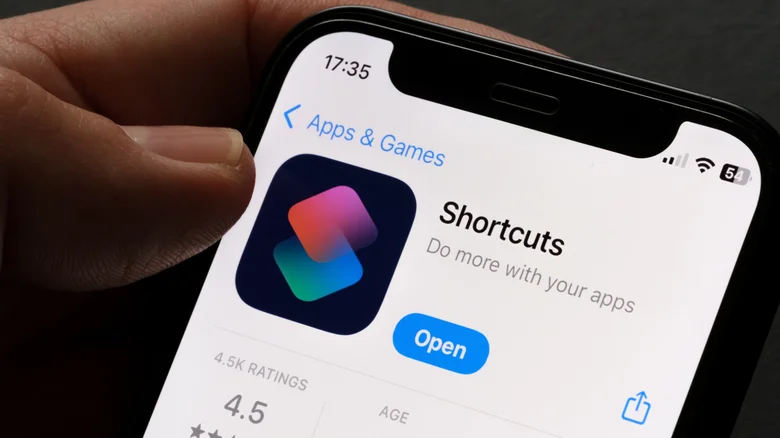
iOS Shortcuts unlock hidden automation superpowers, transforming repetitive iPhone drudgery into one-tap magic that savvy users wield for productivity, mindfulness, and sanity. Apple’s gallery offers basics, but community masterpieces like Brainsaver, Save Parking Spot, and Expense Manager deliver life-altering conveniences—doomscroll limits, instant car finds, effortless budgeting—all native, free, Siri-triggerable. Routine-bound iPhone owners miss these gems; automation enthusiasts orchestrate symphonies where Siri executes “Morning Routine” chaining weather, coffee brew, commute navigation. Explore below: handpicked shortcuts solving annoyances you didn’t know needed solving.
Doomscrolling devours hours—Instagram “just one Reel” spirals into oblivion. Brainsaver enforces mercy: select apps (TikTok, X, IG), set limits (5/15/30min). Sleep Focus notifies custom text (“Bedtime!”), boots to Home; others timer-expire, force-quit. Action Button assignment launches instantly—pick phone for task, Brainsaver guards mission. Community raves: “Reclaimed evenings”; analytics reveal scroll savings compounding to weeks yearly.
Brainsaver Setup
- Shortcuts app > Gallery > Search “Brainsaver” > Add Shortcut.
- Edit > Select apps > Time limits (5min strict, 15min casual).
- Add to Home Screen/Action Button/Siri (“Anti-scroll”).
- Test: Launch IG > Timer ticks > Home eject.
Parking Savior and Cross-Platform Magic
Forget parking purgatory—Save Parking Spot auto-logs GPS on CarPlay/Bluetooth disconnect, Maps link notifies. Edit home address whitelist skips garage pings. iOS-ShareEasy bridges iPhone-Windows AirDrop void: local network clipboard/photos transfer via open-source server. GitHub server install, swap IP in Text variable—Action Button sends screenshots to work PC instantly. Static IP sidesteps DHCP woes.
Finance and Task Automations
Expense Manager gamifies budgeting: Notes-based ledger parses “Coffee=4.50”, tallies categories, shares family ledgers. Reminders Random Draw defeats paralysis—tap for instant “Do this NOW” from backlog, resurfacing forgotten chores. MedLog medication guardian: dose timing, prescription counts, iCloud sync—voice-log “Took Lipitor” haptically confirmed.
Wellness and Workflow Shortcuts
| Shortcut | Core Magic | Daily Win |
|---|---|---|
| Brainsaver | App time limits | Reclaim scroll hours |
| Save Parking | Auto-GPS on disconnect | Never hunt car |
| Expense Manager | Notes parsing | Effortless budgeting |
| Random Draw | Task roulette | Beat paralysis |
| MedLog | Dose tracking | Health compliance |
Mindful and Creative Automations
Meditative Breathing guides box breaths—set cycles, DND engages, Health logs sessions. Health Check unifies Apple Health chaos: steps/HR/sleep/activity rings one-tap. Get Me There navigation oracle pulls Calendar events, Uber/Lyft launches, ETA shares. DrinkTracker hydrates holistically—caffeine penalties, goal progress. Annotate digital dog-ears: highlight passages, pronunciation lookup, reading stats.
Outfit and Finance Flows
Weather Wear Siri-voices Yoda forecasts: “Cold, rain rising—layer up you must.” Pocket Money Pro dashboard: balance + recent txns, category pie charts. Daily Photo Review culls library: 100 randoms daily, swipe-delete duplicates, albums auto-sort keepers.
Action Button supremacy: long-press Brainsaver, double-tap Parking Save, triple Expense log—hardware shortcuts compound software. Siri “Run Morning Health Check” chains Weather/Steps/Calendar. Share Sheet integration: photo > iOS-ShareEasy > PC instant. Gallery starters evolve via edits—customize MedLog for vitamins, Weather Wear for ski trips.
2025 iOS 26 Shortcuts maturity rivals Mac Automator: JavaScript for Apps scripting, API chaining, Vision Pro spatial triggers. Community RoutineHub 10k+ downloads; stars like MKBHD endorse. Battery impact negligible—native SwiftUI efficiency. Migrate Android Tasker refugees find Shortcuts superior: iCloud sync, no root. Dive in: 30min exploration yields week-long gains; mastery crafts personal OS atop iOS.


